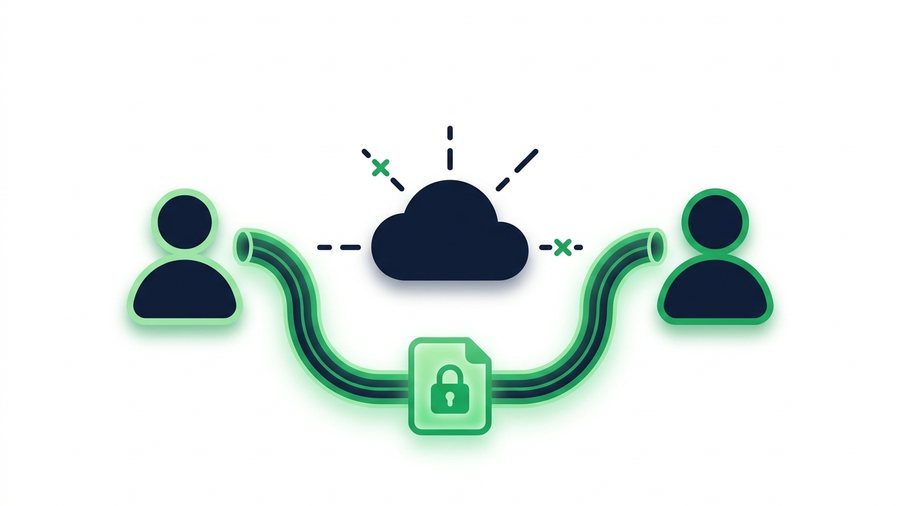
"End-to-end encryption" gets tossed around like a magic spell, but most explanations bury it under math. Here's the plain version: it means your file is locked before it leaves your device and can only be unlocked by the person you're sending it to. Not the company running the service, not a hacker, not anyone in the middle. Only the two ends.
That sounds like it should be the default for everything, but it isn't, and for good reason. E2EE has real trade-offs, and plenty of everyday sharing is perfectly safe with lighter protection. The trick is knowing which kind of encryption you're actually getting and whether your situation calls for the strongest lock.
This guide breaks down the three main types of encryption in everyday terms, shows when you truly need the strongest one, and gives an honest account of what a simple link-sharing tool can and cannot promise.
Key takeaways
- There are three kinds of protection - In transit (HTTPS), at rest, and end-to-end - And only end-to-end stops the service itself from reading your file.
- Most "upload and get a link" tools, including free ones, are encrypted in transit and often at rest but are not end-to-end, because previews and virus scanning need file access.
- Save E2EE for legal, medical, or high-danger files; for everyday shares, a password plus a short expiry is plenty.
- ShareIt.onl is not E2EE, but it adds an optional password, auto-expiry, and delete-after-first-download for practical everyday safety.
The Three Kinds of Encryption
People say "it's encrypted" as if that settles things, but there are three very different moments a file can be protected. Mixing them up is where confusion starts.
Encryption in transit
This protects the file while it travels between your device and the server. It's what HTTPS provides, the lock icon in your browser. Think of it as an armored truck: safe on the road, but the contents are handled normally once they arrive at the warehouse. Nearly every legitimate site uses this today, and it stops eavesdroppers on public Wi-Fi.
Encryption at rest
This protects the file while it sits on the server's hard drive. If someone stole the physical disk, they'd find scrambled data instead of your files. But the service itself holds the keys, so it can unlock your file when it needs to, for example to show a preview or comply with a legal request.
End-to-end encryption
This is the strongest of the three. The file is locked on your device with a key the service never sees, and only your recipient can unlock it. The company storing it literally cannot read it, even if ordered to. The armored truck now carries a safe that only you and the receiver have the combination to.
In Transit vs. At Rest vs. End-to-End
| Protection level | Safe on the network? | Safe on the server's disk? | Can the service read it? |
|---|---|---|---|
| In transit (HTTPS) | Yes | No | Yes |
| At rest | Yes | Yes | Yes |
| End-to-end (E2EE) | Yes | Yes | No |
The key column is the last one. With the first two, you're trusting the service to behave. With E2EE, you don't have to trust it, because it can't read your file even if it wanted to.
When You Truly Need E2EE
Here's the honest part: most file sharing does not require end-to-end encryption. For a batch of vacation photos or a resume draft, in-transit encryption plus a short-lived link is plenty. E2EE shines in a narrower set of situations.
High-stakes content
Reach for E2EE when the file could seriously harm you if the service, or anyone who compromised it, could read it. That includes:
- Legal documents tied to a dispute or investigation
- Trade secrets, source code, or unreleased product plans
- Journalists' notes or sources in sensitive regions
- Files where a leak means legal, financial, or personal danger
When you can't trust the middle
If you have no reason to trust the company handling your file, or you're in an environment where servers might be seized or subpoenaed, E2EE removes the company from the trust equation entirely. That's its whole point.
For everyday private files, though, a strong password plus a link that expires fast often gives you the practical safety you need without the setup friction. See our guide on password-protecting shared files for that middle-ground approach.
How Most Sharing Tools Actually Work
Be clear-eyed about the common case. The typical "upload and get a link" tool, including the free, no-sign-up kind, protects your file in transit and often at rest, but is not end-to-end encrypted. The service can technically access the file it stores. That's not a scandal; it's how link previews, virus scanning, and abuse prevention are possible.
What those tools do well
They make sharing fast and add real safety through two features that matter more day to day than most people realize: passwords and expiry. A password stops a forwarded link from working. An expiring link shrinks the window of exposure to hours instead of years. Our piece on why expiring links are safer explains how much that shortening reduces risk.
Tip: When you add a password to a shared file, send it through a different channel than the link - Text the password for a file you emailed, say. A leaked link then means nothing without the separate key.
ShareIt.onl is a good example of this practical model. It doesn't claim to be end-to-end encrypted, but it does let you add an optional password and set links to expire automatically, or even delete the file after the first download. For the vast majority of shares, that's the right amount of protection with none of the hassle.
The honest limits of link sharing
A link-sharing service can promise a secure connection, automatic deletion, and password gating. It cannot honestly promise that it's mathematically impossible for the company to read your file, unless it's specifically built for E2EE. If a free tool claims perfect, unbreakable, zero-knowledge secrecy while also showing you file previews, be skeptical. Those two things rarely coexist.
Choosing the Right Level
Match the lock to the risk. Here's a simple way to decide.
| Your file | Recommended protection |
|---|---|
| Photos, drafts, casual docs | HTTPS + expiring link |
| Personal info, contracts, invoices | HTTPS + password + short expiry |
| Legal, medical, or high-danger files | Dedicated E2EE tool |
If you land in the top two rows, a standard sharing tool with password and expiry does the job. If you're in the bottom row, seek out a service built specifically for end-to-end encryption and confirm it in their documentation.