Sign up free and keep this file forever
This upload moves straight into My Files without another upload. It stays there after the share link expires, ready whenever you need it.
Sign up free — keep forever
ShareIt Web: share files online, free
Send up to 100 MB without signing up, or 3 GB with a free account. No app. Just upload and share.
Drop files or folders here, or browse
Up to 10 files · 100 MB per share (sign up free for 100 files / 3 GB)
Anonymous files are removed after 31 inactive days. Free registered users get up to 100 files per share, a 3 GB maximum file size (3 GB total per share), and 20 GB of permanent storage.
Your timed link expires on the schedule you pick above (7 days by default). Every download ensures at least another 24 hours remain. Expiry disables the public address; normal files remain private in My Files.
Uploading… 0%
Expand this ZIP before uploading?
Contents
Expanded files are uploaded individually with their folder structure preserved. Nested ZIPs are kept as files and are not expanded.
Need to send more?
Anonymous shares are limited to 10 files and 100 MB. Create a free account to unlock:
- 100 files and 3 GB per share
- 20 GB of private storage
- 30-day links, recovery across devices and download statistics
Uploading… your link is already live
Copy and send it now - The files appear for the recipient as the upload finishes, using the security settings you chose before selecting them.
Your files are ready to share
Use a GoTo.now link on public forums
Put this ShareIt link behind a separate access page. Visitors complete your chosen check, then continue to the file.
Put all your files in one ZIP
Make one tidy download from this multi-file upload.
Scan the QR code with any phone camera to open the link instantly.
Keep your share from going cold
Need more breathing room? Extend this link to 30 days now. Your files remain in My Files after the public link ends.
Open a transfer room, then scan the code with your other device.
Opening a transfer room…
Point the other device's camera at this
- On the sending device, open the camera and point it at the code.
- Tap the link, then pick the files to send.
- They show up on this screen automatically.
No camera? Open this link on the other device:
This room closes in 2 hours. Anyone with the code can send files to it, so don't post it publicly.
Arrived on this device
Waiting for the other device…
Sending a different way? Phone → computer · Computer → phone · Phone → phone · Computer → computer
Free forever No sign-up needed Links expire on your schedule 20 GB tied to this browser
Share files in a private group chat
Create a channel for friends, family or a project. Keep the conversation and the files together instead of sending a new link every time.
- Invite your group. Add people by email or share a channel invitation link.
- Share files while you chat. Attach files from My Files or upload something new without leaving the channel.
- Choose your privacy level. Use end-to-end encryption or create a standard channel, with optional password protection.
Chat is available to registered users. Anonymous visitors cannot view channel conversations.

Keep ShareIt one click away
Upload local files or point to a public file you find online, then get a ShareIt link without first finding the website.
Free · Sign in or create an account from the extension · Step-by-step installation guide included
Your link expires. Your files don't.
Everywhere else, an expired link means the file is gone and you're re-uploading it. Here the link is the only thing with a deadline - your files sit in 20 GB of free storage for as long as you want them, and one tap puts a fresh link on any of them.
- Nothing to re-upload. Re-share from your file manager in a tap - a new link, instantly, from the files already here.
- The old link stays dead. Re-sharing issues a new address, so a link you handed out months ago can never quietly come back to life.
- You decide when it's gone. Deleting is what removes a file - not a timer running out while you weren't looking.
- See what gets downloaded. File sharing statistics show completed downloads, top shares, audience type and transfer served.
How ShareIt.onl works
Three steps. About fifteen seconds. That's the whole process.
Upload your files
Drag and drop up to 10 files (100 MB total) without an account, or register free for 100 files / 3 GB. Documents, photos, videos, archives and more.
Get your link
The moment the upload finishes you get a short link and a QR code. Choose how long it lives: 1 hour to 7 days.
Share it anywhere
Paste the link into chat, email or a text—or let someone scan the QR code. A signed-out recipient can download three distinct files before sign-in is required.
One uploader, every sharing job
Purpose-built pages for the things people share most.



Send Large Files Online
Send large files online free: 100 MB without an account or 3 GB when registered.
Open tool →
Share Videos Online
Share video files online free: 100 MB anonymously or 3 GB when registered.
Open tool →
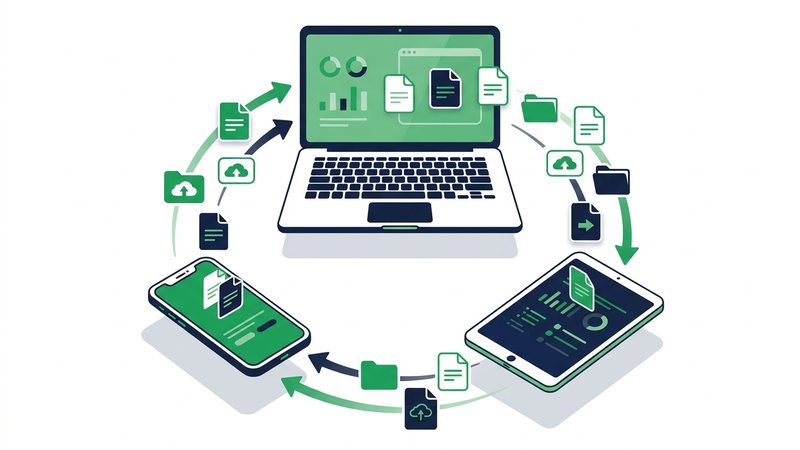
Transfer Files Between Devices
Transfer files between phone, PC, Mac and tablet with a link or QR code.
Open tool →
Free WeTransfer Alternative
Looking for a WeTransfer alternative? Send 100 MB without an account or 3 GB when registered, with password protection, QR codes and no ads.
Open tool →
Secure File Transfer
Send files securely with HTTPS, unlisted links, optional passwords, one-time downloads and automatic link expiry.
Open tool →
Share Audio Files Online
Share audio online free: 100 MB anonymously or 3 GB when registered.
Open tool →Guides & How-Tos
Everything about sharing files online: large files, privacy, cross-device transfers.
Browse guides →Sharing from a phone or computer?
Step-by-step guides for iPhone, Android, Windows PC, and Mac.
ShareIt on iPhone & iPad
What actually works on iOS - The app's real limits, and the no-install browser way to send files straight from your iPhone or iPad.
Read the iOS guide →ShareIt on Android
Set up SHAREit on Android, use it safely - And the no-app browser way to send files to iPhones, PCs, and Macs alike.
Read the Android guide →ShareIt for PC & Windows
Official desktop options and the browser alternative that needs zero download - Share files from any Windows PC in seconds.
Read the PC guide →ShareIt on a Mac
What works on macOS, why AirDrop stops at Apple devices, and the no-install way to send from a Mac to any phone or PC.
Read the Mac guide →Why people use ShareIt.onl
- Bigger than email. Send 100 MB without an account, or send large files up to 3 GB per share after free registration.
- Nothing to install. Works in any browser on any device. The person receiving your files needs exactly one thing: the link.
- Timed links close themselves - files stay private. Timed shares expire on the schedule you pick, and expiring links are safer. When the link goes, your files stay: 20 GB of storage that's yours until you delete it, with a new link one tap away. One qualified referral also unlocks Never when ongoing access is the better fit.
- Private by design. Your share lives at a random address that's never listed or indexed. For anything sensitive you can add a password or a one-time link.
- QR codes built in. Moving files phone-to-PC? Share with a QR code - Skip the typing, scan and download.

How ShareIt.onl compares
The honest version - Every method has a place. Here's where a quick expiring link wins.
| Method | Max size | Account needed? | Expires automatically? | Works cross-device? |
|---|---|---|---|---|
| ShareIt.onl link | 100 MB guest / 3 GB registered | Only above 100 MB | Yes - You choose | Any browser |
| Email attachment | ~25 MB | Yes (mailbox) | No | Yes |
| WhatsApp / chat apps | 2 GB (as file) | Yes | No | App only |
| Google Drive / Dropbox | Large | Yes, both sides often | No | Yes |
| USB / cable | Huge | No | N/A | Needs ports/adapters |
Invite a friend, you both get +1 GB - for good
Every friend who joins through your link and shares a file adds 1 GB of permanent storage to your account, and they get 1 GB too. Earn up to +80 GB from referrals and setup rewards, plus up to +20 GB from daily streaks. Nothing to pay, ever.
Frequently asked questions
Is ShareIt.onl really free?
Yes. Uploading and sharing files is completely free - No sign-up, no credit card, and no hidden limits beyond the 3 GB per-share cap. Your first upload creates a browser/device account for My Files.
How large can my files be?
Each share can hold up to 100 files and 3 GB in total. That is roughly 40x the limit of a typical email attachment.
How long do share links last?
By default a link expires after 7 days. You can choose 1 hour, 12 hours, 24 hours, 3 days or 7 days; connecting Google adds 30 days, and one qualified referral unlocks Never. Each download keeps an active link up for another 24 hours. Expiry stops public access; ordinary account files remain in My Files until their owner deletes them.
Do recipients need an account to download?
A signed-out recipient can download three distinct files from any browser. After that, sign-in is required to continue. A download-all ZIP counts as one when the share is 512 MB or smaller.
Are my files private?
Files are reachable only through the random link generated for you - It is never listed or indexed anywhere. Link expiry stops public access; files in an account stay private in My Files until their owner deletes them.
Can I share files from my phone?
Yes. The uploader works in any mobile browser, and every share comes with a QR code so a nearby device can grab the files instantly.
Is there a file size limit?
Each share can total up to 3 GB across a maximum of 100 files. For something larger, compress it or split it into parts, then send each part as its own share.
Do you scan, read, or keep my files?
Files are stored to run your links and account. We do not scan them for advertising or reuse them; automated malware checks and authorised abuse reviews may inspect a file for safety. Deleting an account file moves it to the rubbish bin for 30 days; emptying the bin or closing the account removes it immediately.
Can I share the link on WhatsApp, Instagram or email?
Yes. The link is a plain web address, so you can paste it into any chat app, DM, email or text - Or let the person scan the QR code instead.
What happens if I close the tab while uploading?
The upload stops and no link is created, so nothing is shared. Just reopen ShareIt.onl and upload again - It only takes a few seconds.
Is ShareIt.onl legit and safe to use?
Yes. Files travel over encrypted HTTPS, each share sits at a random unlisted link, and public access stops when that link expires. You can add a password or a one-time link for anything sensitive. Stored account files remain in My Files until their owner deletes them. ShareIt.onl is independent from the SHAREit mobile app.