Free File Transfer - No Sign-Up, No Catch
Transfer up to 3 GB free - one big file or a hundred small ones. Password protection, QR codes, previews and ZIP downloads are included, with no sign-up and no ads.
Your link expires on the schedule you pick above (24 hours by default). Every download keeps it alive for another 24 hours. Expiry disables the public address; normal files remain private in My Files.
Copy and send it now - The files appear for the recipient as the upload finishes, using the security settings you chose before selecting them.
Scan the QR code with any phone camera to open the link instantly.
"Free" file transfer usually comes with an asterisk: an account wall, a shrunken size limit, ads plastered over the download page, or the useful features locked behind a subscription. This one doesn't. Upload up to 100 files or 3 GB in total - One big file or many small ones - And share a single expiring link. That's the whole deal.
Password protection, one-time links, a QR code, previews and a download-everything ZIP are included. There is no sign-up to send and recipients need no account. You pick a public-link lifetime from 1 hour to 7 days (or 30 days after connecting Google); normal files remain private in My Files after that address expires.
- Up to 100 files / 3 GB per transfer, completely free
- Password protection and one-time links included - Not paywalled
- No sign-up to send; recipients need no account
- Links expire on your schedule (1 hour to 7 days; 30 days signed in)
Why is it free - And what's the catch?
There is no catch to the transfer itself: uploading, sharing, and downloading cost nothing, and there are no ads. Public links expire as a privacy feature, while a clear 20 GB storage allowance and monthly transfer limit keep the free service sustainable. A paid plan with bigger limits is planned for heavy users, but nothing you see here today is taken away.
Start Sharing Free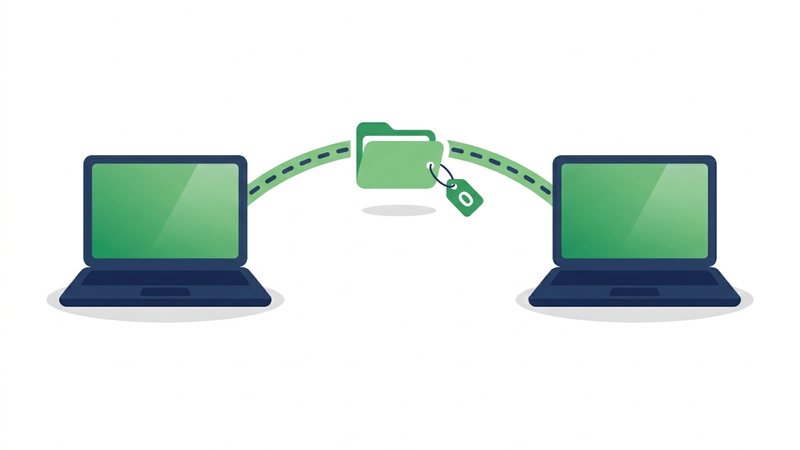
How to transfer files for free
- Drop your files or a whole folder into the uploader above - Up to 100 files, 3 GB total.
- Pick how long the link should live: 1 hour, 12 hours, 24 hours, 3 days, or 7 days. Add a password or a one-time limit if it's sensitive.
- Click "Get Share Link" - Big transfers upload in chunks, so a shaky connection retries a small piece instead of starting over.
- Share the link anywhere, or let the other person scan the QR code with their phone camera.
- They download in one click - Every file individually or everything as a ZIP - With no account and no ads.
When to use it
Too big for email
Email stops around 25 MB. A transfer link carries 120x that - Full video files, RAW photo sets, and complete project folders.
One-off hand-offs
Send a contract, a design file, or a batch of photos without signing either of you up for yet another service.
Phone to PC and back
Upload on one device, scan the QR code on the other. No cable, no cloud account, no pairing.
Sensitive documents
Add a password and a one-time limit so the file can be downloaded exactly once, then vanishes.
Group sends
One link works for any number of recipients, and every download keeps the link alive another 24 hours.
What free actually includes
| Feature | Here | Typical elsewhere |
|---|---|---|
| Transfer size | 3 GB free | WeTransfer 3 GB with account; Dropbox Transfer 100 MB |
| Sign-up required | No; first upload creates a browser account | Increasingly yes to send |
| Password protection | Included | Often paid-only |
| One-time links | Included | Rarely offered at all |
| QR code | Included | Rarely offered |
| Ads | None | Full-page ads are common |
| Link lifetime | 1 h - 7 days (30 signed in) | Fixed 3-7 days |
Free File Transfer - FAQ
Is it really free - No trial, no card?
Is registration required?
How many files can I transfer at once?
Do my files stay on the server forever?
Does the person receiving need an account?
How is this different from cloud storage like Drive or Dropbox?
Guides that go deeper
How to Send Large Files Online Free (5 Ways That Work)
Five free, proven ways to send large files online, from expiring share links to zip compression, with real size limits.
How to Share Files Online: Every Method Compared
Compare share links, email, cloud drives, USB, and messaging apps so you can pick the fastest way to send any file.

Why Expiring Links Are Safer Than Permanent Ones
Permanent share links accumulate risk forever; expiring links shrink the attack window to hours or days.
Email Attachment Size Limits: Gmail, Outlook, and How to Beat Them
Real attachment caps for Gmail, Outlook, Yahoo, and iCloud, why they exist, and free ways to send bigger files.