SHAREit App & Web File Sharing
SHAREit web, APK safety, PC options and alternatives - And how to share files online with no app at all.
There are two very different things that sound alike. The SHAREit mobile app, made by Smart Media4U Technology, is an installed program that moves large files between phones over a direct hotspot. ShareIt.onl is a free browser tool that uploads up to 100 files, or 3 GB, and hands back an expiring link plus a QR code, with no sign-up and nothing to install.
The apps solve overlapping problems in opposite ways. The mobile app shines when you need to move very large files between two nearby devices and have no internet, since it builds its own local connection. The browser tool shines when you want a quick, no-install share that works on any operating system and reaches someone across the room or across the country.
To be clear, ShareIt.onl is not affiliated with the SHAREit mobile app or Smart Media4U Technology. This page simply compares how each one works so you can pick the right tool for the job. Both are legitimate ways to move your own files.
- When the offline hotspot transfer of the mobile app wins
- When a no-install browser share is the faster choice
- How cross-platform support differs between the two
- What the 3 GB free per-share limit means for browser sharing
SHAREit app vs ShareIt.onl browser sharing
| Feature | SHAREit app | ShareIt.onl browser |
|---|---|---|
| Install needed | Yes | No |
| Cross-platform | Limited | Any OS |
| Works offline | Yes, over hotspot | No, needs internet |
| Size limit | Very large | 3 GB free per share |
Guides in this section
9 in-depth guides on shareit app & web.

7 Best SHAREit Alternatives for Fast File Sharing (2026)
Seven honest SHAREit alternatives compared - Quick Share, AirDrop, LAN web apps, cloud drives, email, USB, and browser links.

SHAREit APK Download: Risks and the Safe Way to Get It
Why people sideload the SHAREit APK, the real risks of mirror sites, and safer ways to install or skip the app.
SHAREit for Android: Setup, Use, and Safer Options
A plain-English guide to installing SHAREit on Android the safe way, how its offline transfers work, and a zero-install browser alternative.
SHAREit for iPhone and iPad: What Works
What SHAREit can and cannot do on iPhone and iPad, why iOS limits it, and the universal browser fix for cross-platform sharing.
SHAREit for Mac: What Works and the No-Install Way to Share
Whether SHAREit runs on a Mac, why AirDrop stops at Apple devices, and the browser method that sends files from a Mac to any phone or PC.

SHAREit for PC: Official Options and Browser Alternatives
How to get SHAREit on a PC the official way, plus a browser method that moves files with no install.
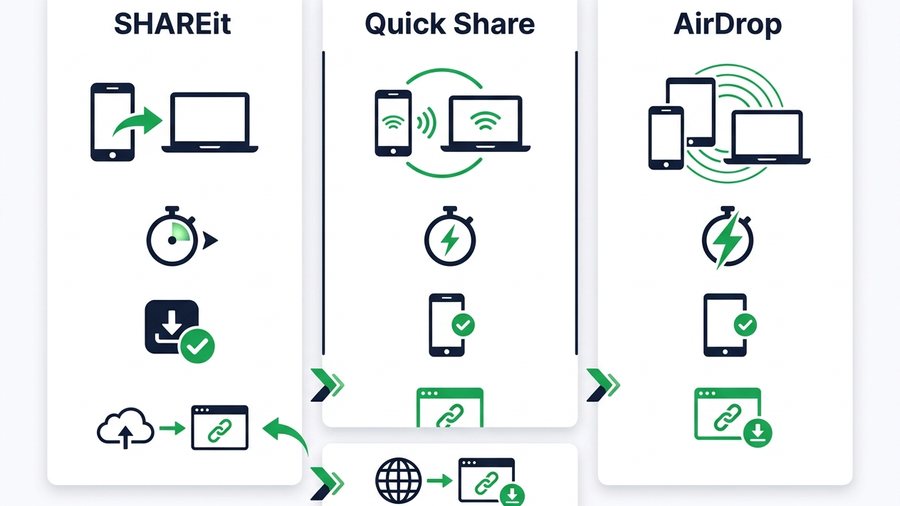
SHAREit vs Quick Share vs AirDrop: Which to Use
A clear comparison of SHAREit, Quick Share, and AirDrop by platform, speed, and install needs, plus where a browser link fits.
SHAREit Web: How to Share Files Online Without the App
What "SHAREit web" really means, how the app's WebShare feature works, and how to share files online with just a browser.
192.168.43.1:2999 - The SHAREit WebShare Address, and What to Do When It Won't Open
192.168.43.1:2999 is the local address SHAREit WebShare uses. Here is why it only works on the same hotspot, the fixes when it refuses to load, and a browser method that needs no address at all.
Try it now: Transfer Files Between Devices
Free, up to 3 GB, link + QR code in seconds - No sign-up.
Open the tool →