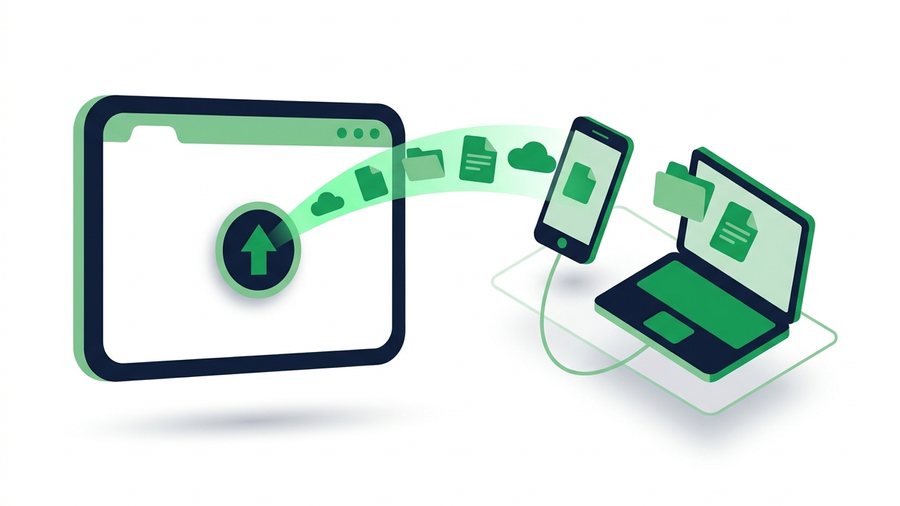
Every month, thousands of people search for "SHAREit web" or "share it online" hoping to find a browser version of the popular SHAREit app. Here's the honest answer: there is no official, full web version of SHAREit. The app, made by Smart Media4U Technology, does include a limited feature called WebShare that lets one device receive files through a browser. But it's not a website you can just open and use. If you specifically want the mobile app, our SHAREit for Android guide covers installing and using it safely.
The good news? If what you really want is to share files online without installing anything, you don't need SHAREit at all. A browser-based tool can upload your files and hand you an expiring link plus a QR code in seconds - On any phone, tablet, or computer.
ShareIt.onl is an independent web-based file-sharing tool and is not affiliated with the SHAREit app by Smart Media4U Technology.
Key takeaways
- There is no official full web version of SHAREit - The closest feature is WebShare, which serves files to a browser on the same Wi-Fi.
- WebShare still needs the app on the sender's phone and makes the receiver type a local IP like 192.168.43.1:2999.
- The WebShare session ends the moment the app closes, so there is no link you can send later.
- A true browser tool uploads 100 files (3 GB total) and hands back an expiring link plus a QR code with no account.
What People Mean by "SHAREit Web"
When people type "shareit web" or "shareit online" into Google, they usually want one of three things:
- A web version of the app - A site where they can send files without installing SHAREit. This doesn't officially exist.
- The WebShare feature - A real feature inside the SHAREit app that shares files to a browser on the same Wi-Fi network.
- Any browser tool that shares files - They don't care about the brand; they just want to move a file fast.
If you're in group one or three, skip ahead to the browser-link method below. If you're curious about WebShare, keep reading.
How SHAREit WebShare Actually Works
WebShare is a clever workaround for sending files to someone who doesn't have the app. Here's the basic flow:
- The sender opens the SHAREit app and taps the WebShare option (often found in the menu or under "Share to PC" style features).
- The app turns the phone into a small local hotspot or uses the current Wi-Fi network.
- The receiver connects to that same network and types the local address shown by the app into their browser, often
http://192.168.43.1:2999. Only use the address displayed by the sender's SHAREit session; it is a private-network page, not a public website. If that page will not open, see our 192.168.43.1:2999 troubleshooting guide. - A simple page loads in the browser, and the receiver downloads the selected files.
It works, and it's free. But notice what it requires: both devices must be physically near each other, on the same Wi-Fi or hotspot, and the sender still needs the app installed.
The Limits of WebShare
- Same network only. You can't send a file to a friend in another city.
- One side still needs the app. It solves half the problem.
- Manual IP addresses. Typing
192.168.x.xaddresses confuses a lot of people. - Session ends when the app closes. There's no link to send later.
- Firewalls and hotel/office Wi-Fi often block device-to-device connections.
The Browser Alternative: Upload Once, Share Anywhere
For most "shareit web" searches, the faster path is a true web tool. With ShareIt.onl you upload files in the browser and get a shareable link - No app, no account, no same-network requirement. Here's the whole process:
- Open the site in any browser - Phone, tablet, or PC.
- Drag in or select up to 100 files totaling up to 3 GB.
- Wait a few seconds for the upload to finish.
- Copy your expiring link, or let the other person scan the QR code on your screen.
- The recipient opens the link anywhere in the world and downloads the files.
Because the link expires automatically, you don't leave files floating around online forever. And since everything runs in the browser, it works the same on Android, iPhone, Windows, Mac, and Linux. If you often move things between devices at your desk, the QR method is especially quick - See our guide to sharing files with a QR code for tips.
Tip: If you turn on the delete-after-first-download option, the file is removed as soon as the recipient grabs it - A clean way to make sure a one-time share never lingers, even before the expiry timer runs out.
WebShare vs. Browser Link Sharing
| Feature | SHAREit WebShare | Browser link (ShareIt.onl) |
|---|---|---|
| App install required | Yes, on the sender's phone | No, on either side |
| Works over the internet | No, same Wi-Fi/hotspot only | Yes, anywhere |
| Setup steps | Open app, start hotspot, type IP | Upload, copy link or scan QR |
| Sign-up needed | Yes (app account features) | No |
| File limits | Depends on device storage | 100 files, 3 GB total |
| Link you can send later | No | Yes, expiring link |
| Speed for huge files (5+ GB) | Fast on local Wi-Fi | Over the 3 GB cap; split across shares |
The honest takeaway: WebShare shines for very large local transfers, like a 4 GB movie between two phones in the same room, because nothing has to upload first. Browser link sharing wins for everything else - Remote sharing, mixed devices, and one-off transfers where installing an app isn't worth it. For files beyond the 3 GB cap, check our tips on sending large files.
When Each Method Makes Sense
Choose the SHAREit app if you...
- Regularly move multi-gigabyte files between nearby devices
- Have no internet connection (offline hotspot transfer works)
- Don't mind installing and updating an app
Choose browser sharing if you...
- Need to send something right now with zero setup
- Are sharing between different platforms (say, Android to iPhone or phone to work PC - See our phone-to-PC transfer guide)
- Want a link that expires instead of a permanent copy
- Are on a locked-down device where you can't install apps
Many people end up using both: the app for big local moves, and a browser link for quick everyday shares. If you're weighing other tools too, our roundup of SHAREit alternatives compares seven options side by side.