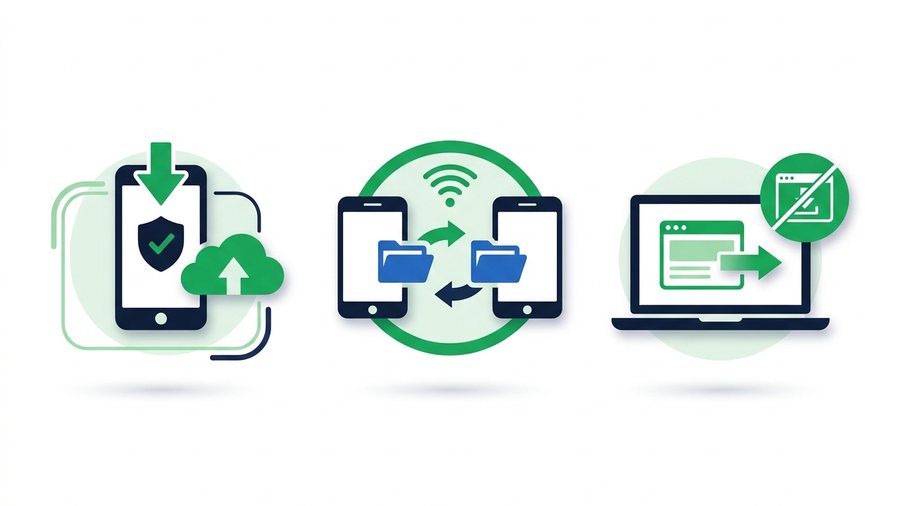
If you own an Android phone and want to move photos, videos, or apps to another device without cables or mobile data, SHAREit is one of the tools people reach for. It builds a direct wireless connection between two phones and copies files across it. That approach can be fast, but the app has also grown large, ad-heavy, and unavailable in some countries.
This guide walks through installing SHAREit the safe way, how its hotspot-style transfer actually works, the permissions it asks for, and its history in India. It also covers when you don't need the app at all, because a browser link often does the job with nothing to download.
ShareIt.onl is an independent web-based file-sharing tool and is not affiliated with the SHAREit app by Smart Media4U Technology.
Key takeaways
- Install SHAREit only from the Google Play Store, and confirm the developer is Smart Media4U Technology.
- Transfers run over a local Wi-Fi hotspot - No internet or mobile data - Which shines for a 20 GB batch of videos.
- Normal permissions are files/media, location, and nearby devices; SMS or call-log requests are a red flag.
- India banned SHAREit in June 2020; use Quick Share or a browser tool rather than sideloading around it.
Installing SHAREit on Android Safely
The only source we recommend for SHAREit on Android is the official Google Play Store. When you install from Play, Google verifies the file, scans it with Play Protect, and pushes automatic security updates. None of that happens when you grab an installer from a random website.
Why the Play Store and nothing else
Search results for "shareit apk download" are full of mirror sites offering the raw installer file. We do not recommend any of them. A sideloaded file can be an old, unpatched build or a tampered copy with extra code inside, and it will not update itself. If you want the full story on why these sites are risky, read our SHAREit APK download safety guide.
The three-step install
- Open the Play Store app and search for "SHAREit."
- Confirm the developer is listed as Smart Media4U Technology before you tap Install.
- Let the app finish installing, then open it and accept the permissions it needs.
If SHAREit does not appear in your store, that usually means it is blocked in your region. Treat that as your answer, not a puzzle to work around by sideloading.
How to Use SHAREit on Android
SHAREit does not send your files over the internet or use your mobile data. Instead, one phone creates a local Wi-Fi hotspot and the other phone joins it. The two devices then talk directly over that short-range connection. Because it is a direct link and not a cloud upload, transfers can hit high speeds and work even with no internet at all.
Here is the typical flow between two Android phones:
- On the sending phone, tap Send and pick the files.
- On the receiving phone, tap Receive. It starts looking for nearby senders.
- The sender scans for the receiver, often using a radar screen or a QR code.
- Tap the receiver's icon to connect, and the transfer begins.
The catch is that both people usually need the app installed and open, and both need to be in the same room. It shines for really large local transfers, like a 20 GB batch of videos, where an internet upload would be slow or blow past most size caps.
Note: Because the speed comes from a direct device-to-device link, SHAREit only helps when both phones are in the same room with the app open. For someone across town, or on an iPhone, a browser link is the simpler route.
Permissions and Ads to Expect
SHAREit is free, and free apps pay for themselves somehow. In SHAREit's case that has historically meant in-app ads, recommended content, and "clean" or "boost" features you did not ask for. None of that is malware, but it can make the app feel busy compared to a simple transfer tool.
Permissions it typically requests
| Permission | Why the app asks | Worth watching |
|---|---|---|
| Files and media | To read what you send and save what you receive | Expected for any file tool |
| Location | Older Android needs it to scan for nearby Wi-Fi | Common but broad |
| Nearby devices / Wi-Fi control | To create and join the local hotspot | Core to how it works |
| Notifications | Transfer progress and promotions | You can limit these |
A file-sharing app asking for SMS or call-log access would be a red flag. The permissions above, tied to files and local networking, are normal for what SHAREit does.
India Availability History
SHAREit was hugely popular in India, but in June 2020 the Indian government banned it along with 58 other apps, citing data and security concerns. Since then it has not been available on the Indian Google Play Store. More apps were added to India's blocked list in later rounds.
If you are in India, the practical takeaway is simple: do not chase a sideloaded copy to get around the ban. Android's built-in Quick Share and a browser-based tool both move files without the banned app. See how the built-in options stack up in our SHAREit vs Quick Share vs AirDrop comparison.
A Zero-Install Browser Alternative
Here is the part many people overlook. If your goal is just to move a handful of files right now, especially to a phone that is not in the same room, you may not need any app on either device. A browser tool like ShareIt.onl works entirely in the web browser you already have:
- Open the site on the device that holds the files.
- Upload up to 100 files, up to 3 GB total. No account, no sign-up.
- Share the expiring link, or show the QR code for the other device to scan.
- The other person downloads in their browser. Done.
Nothing gets installed, so there is nothing to sideload, scan, or keep updated. It works across Android, iPhone, Windows, Mac, and Linux, which makes it handy for sending files to someone on a different kind of device. For a step-by-step version, see how to transfer files between devices.
App vs browser: pick by the job
| Situation | Better choice |
|---|---|
| 20 GB of videos to a phone next to you | SHAREit app (local, no size cap) |
| A few photos to a friend across town | Browser link or QR |
| Recipient refuses to install anything | Browser link or QR |
| No internet available anywhere | SHAREit app (offline hotspot) |
| Sending to a mix of Android and iPhone | Browser link (works everywhere) |
A 3 GB share covers most full videos and photo batches. The app still wins for huge offline jobs, like a 20 GB library with no internet, but for everyday sharing the browser is the faster path because there is no install step for anyone.
Keeping SHAREit Safe on Your Phone
If you do keep the app, a few habits keep it healthy:
Staying current matters because older SHAREit builds had security flaws that were later patched. Users who updated through official channels got the fix; sideloaded copies often did not.
Without installing anything, phone to computer transfer does the same job from the browser, and phone to phone transfer handles Android to iPhone.