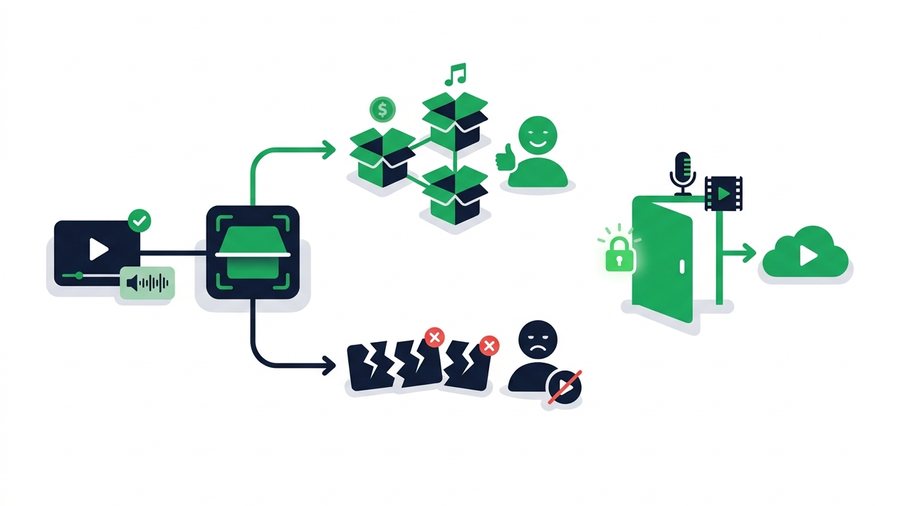
If you upload videos to YouTube, sooner or later you will bump into copyright. Maybe a song you added triggers a notice, or an old clip shows ads you did not place. It can feel scary, but most of the time it is not a punishment - It is an automated system called Content ID doing its job.
Understanding how this works turns a confusing email into a simple decision. There is a big difference between a copyright claim and a copyright strike, and mixing them up causes needless panic: one quietly redirects ad money, the other can put your whole channel at risk. This guide explains Content ID in plain English, walks through claims versus strikes, clears up common fair use myths, and shows how to dispute a claim when it is wrong.
Key takeaways
- A Content ID claim is automated and usually just redirects ad money; a copyright strike is a legal removal, and 3 in 90 days terminates your channel.
- A single strike freezes some channel features for a week, while claims leave your channel standing untouched.
- There is no safe clip length - Content ID can match a sample as short as two seconds - And adding credit or staying non-commercial does not make use legal.
- Dispute only when you truly hold the rights; the owner then has 30 days to respond, and a false dispute can escalate to a strike.
What Content ID Actually Is
Content ID is YouTube's automated fingerprinting system. Big rights holders - Record labels, film studios, TV networks - Upload reference files of their music and video, and when you post something, YouTube scans it against that giant library. If part of your video matches, Content ID flags it.
The key thing to understand: a match is not an accusation of theft. It is a signal to the rights holder, who then decides what happens next based on rules they set in advance.
| Term | What it means |
|---|---|
| Content ID | The automated system that scans for matches |
| Reference file | The original audio or video a rights holder uploaded |
| Claim | An assertion that your video contains their content |
| Policy | The action a rights holder chose: monetize, track, or block |
It Runs on Every Upload
Content ID checks your video during processing, so a claim can appear within minutes. It also keeps scanning older videos as rights holders add new reference files, which is why a video that was fine for a year can suddenly get claimed. No human watches it, so the system sometimes gets things wrong.
Claims vs. Strikes: Know the Difference
This is the most important distinction in YouTube copyright, and confusing the two causes most of the fear around it. A copyright claim (from Content ID) is automated and low-stakes, usually just changing who earns money. A copyright strike is serious: it comes from a formal legal removal request, your video is taken down, and strikes stack up against your channel.
| Content ID claim | Copyright strike | |
|---|---|---|
| Source | Automated system | Formal legal request |
| Effect on video | Ads, tracking, or block | Video removed |
| Effect on channel | None | Penalty; 3 = termination |
| How it clears | Dispute or remove content | Expires in 90 days, or retract/counter |
What a Claim Does to Your Video
Depending on the rights holder's policy, a claim can run ads on your video with the money going to them, track its stats, or block it in certain countries. Your channel stays healthy either way, and many creators simply leave claims in place.
Why Strikes Are the Real Danger
Three copyright strikes within 90 days and YouTube terminates your channel, and a single strike freezes some features for a week. Strikes come from real takedown notices, not the automated system, so they are far rarer - But they are what you need to avoid. The way to dodge them is simple: only use content you created, licensed, or have clear permission for.
Using Music and Clips Legally
The safest path is to use content you are allowed to use. You have more options than you might think, none of which require gambling on a claim.
The Audio Library Is Your Friend
Inside YouTube Studio, the Audio Library gives you free music and sound effects you can use without any claim. Some tracks ask for credit in your description, and the library tells you which. For most creators, this alone covers their background music needs.
Tip: Before adding any popular song, check the free YouTube Audio Library in YouTube Studio first. Its thousands of cleared tracks never trigger a claim, and it flags the few that ask for credit in your description.
Buying a License
For a specific popular song, you generally need a license from the rights holder or a stock music service. Paying for one is the safe route. Grabbing the track free from a downloader is not - Using a third-party downloader or ripper to lift music or clips you do not own breaks YouTube's Terms of Service and usually copyright law, and it is exactly what triggers claims and strikes.
Fair Use Myths That Get People Claimed
Fair use is real but widely misunderstood, and bad advice leads creators into trouble. Let us clear up the myths.
"A few seconds is always fair use." False. There is no magic length. Content ID can match a two-second sample, and courts weigh several factors, not just duration.
"I credited the creator, so it is legal." False. Giving credit is polite but does nothing for copyright - Permission and credit are different things.
"It is fair use because I am not making money." False. Non-commercial use helps a little, but plenty of non-monetized videos still get claimed or removed.
Commentary can qualify as fair use when it is genuinely transformative, like criticism or parody, but simply reacting to a clip often does not. Fair use is decided case by case, so treat it as a legal defense, not a free pass.
Disputing a Claim the Right Way
If a claim is wrong - Royalty-free music, a license you hold, or a false positive - You can dispute it. Here is what a claim can lead to:
| Outcome | What happens |
|---|---|
| Monetized by owner | Ads run, money goes to the rights holder |
| Tracked | No ads change; owner just sees stats |
| Blocked | Video hidden in some or all countries |
| Dispute upheld | Claim released, your video is cleared |
| Dispute rejected | Claim stays; you can appeal once more |
When You Should Dispute
Dispute only when you genuinely have the rights - A license, Audio Library music, your own recording, or a clear false match. File the dispute in YouTube Studio, explain your reason honestly, and the rights holder has 30 days to respond. If you used someone's work without permission, do not dispute, because a false dispute can escalate into a strike.
To move your own original footage to an editor or client for approval before it ever goes near a claim, share the file directly. Upload your master to ShareIt.onl, send an expiring link or QR code with no sign-up, and everyone reviews the exact file at full quality. For posting the finished cut, see how to upload a video to YouTube, and for saving your published work, downloading your own YouTube videos.