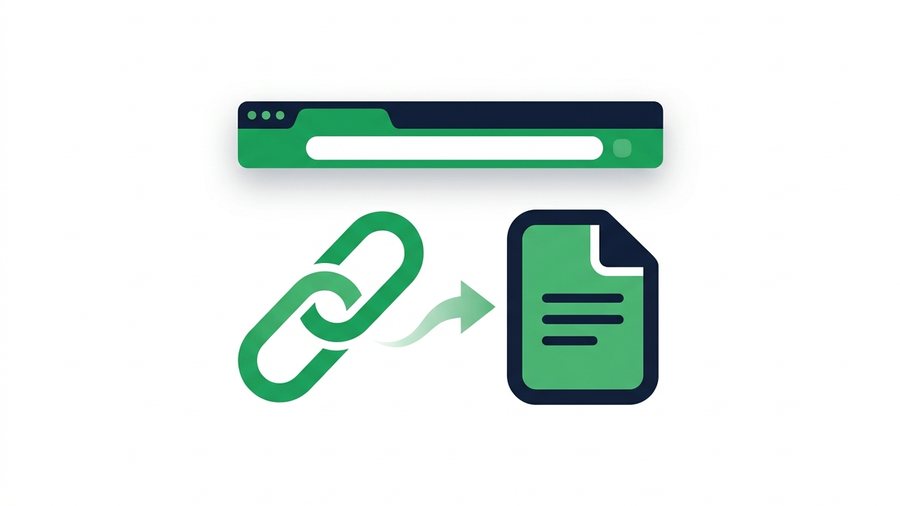
A file sharing link is a web address that points to files you've uploaded, so anyone who has the link can download them. Instead of pushing a 150 MB video through email - Which would bounce - You upload it once, get a short URL like shareit.onl/d/x7Kp2m, and send that tiny piece of text instead.
The idea sounds almost too simple, and that's the point. The heavy file sits on a server; only the lightweight link travels through your email, chat, or text message. The link works in any browser on any device, and the person receiving it doesn't need an account or an app.
But there's real engineering behind those few characters. Let's open one up and see how it works - Including what keeps strangers from finding your files.
Key takeaways
- A share link has three parts - A domain, a path (
/d/), and a random token likex7Kp2mthat maps to your upload.- A 6-character token allows about 56.8 billion combinations; 8 characters pushes past 218 trillion, so guessing one is hopeless.
- On ShareIt.onl you pick a lifespan of 1 hour, 12 hours, 24 hours, 3 days, or 7 days, after which the link dies for good while normal files remain private in My Files.
- Every upload (up to 100 files, 3 GB) comes with a matching QR code, and no account is needed on either end.
Anatomy of a Share Link
Take a typical link: https://shareit.onl/d/x7Kp2m. It has three parts:
| Part | Example | What it does |
|---|---|---|
| Domain | shareit.onl |
The service that stores your files |
| Path | /d/ |
Tells the server "this is a download" |
| Token | x7Kp2m |
The unique ID that maps to your upload |
The token is the star. When you upload files, the server generates a random string, ties it to your upload in its database, and builds your URL around it. When someone opens the link, the server looks up the token, finds your files, and serves the download page.
That's the entire transaction: upload, token, lookup, download. Everything else - Expiry timers, QR codes, file previews - Is built on top of that loop.
Why Random Tokens Keep Links Private
Here's the question everyone asks: if anyone with the link can download my files, can't anyone just guess the link?
In practice, no - And the math explains why. A 6-character token using letters (upper and lower case) plus digits has 62 possible characters per position. That's 62^6, or about 56.8 billion combinations. Many services use 8 or more characters, pushing it past 218 trillion.
Someone guessing random URLs would need to try billions of addresses to stumble onto yours, and services throttle or block that kind of scanning long before it gets anywhere. This approach is sometimes called "security by obscurity," but it's the same principle that protects unlisted YouTube videos and Google Docs "anyone with the link" shares.
Three habits keep the model working in your favor:
- Don't post share links publicly. The secrecy of the URL is the lock. A link pasted into a public forum is a public file.
- Send links through private channels - Direct email, DMs, or a QR code shown in person.
- Let links expire. A link that dies in 24 hours can't leak next month. This is the biggest practical difference from permanent cloud links, and it's why expiring links are safer.
Warning: The secrecy of the URL is the lock. Paste a share link into a public forum or social post and the file is effectively public - Anyone who sees it can download it until the link expires.
What Happens When Someone Clicks
The recipient's side is deliberately boring - That's what makes it work for everyone from your IT team to your grandmother.
- They tap the link on any device with a browser.
- The server checks the token: does it exist, and is it still before the expiry time?
- A download page loads, showing the file names, sizes, and how long the link remains valid.
- They click download and the files save to their device - Individually or bundled.
No sign-up, no app install, no "request access" dance. The download page also acts as a safety buffer: the recipient sees exactly what they're about to download (say, invoice-march.pdf, 2.1 MB) before anything touches their device.
If the link has expired
The server finds the token but sees the timer has run out, so it shows an "expired" page instead of the files. There's nothing to recover - The files are already deleted - So the sender simply uploads again and sends a fresh link.
Expiry: Links With a Built-In Shelf Life
Most transfer links are temporary by design. On ShareIt.onl you pick the lifespan when you upload - 1 hour, 12 hours, 24 hours, 3 days, or 7 days - and when the clock runs out, the link goes dead permanently. Normal files remain private in My Files until you delete them.
This is a feature, not a limitation:
- Your files don't linger. A contract shared in March isn't still sitting on a server in November.
- Old links in old emails are harmless. Anyone digging through a forwarded thread months later finds a dead link.
- Cleanup is automatic. You never have to remember to delete anything.
Match the window to the job - A quick 1-hour link for a file handed off in a live call, 7 days when your recipient is slow to check messages. Our guide on how long a share link should last maps each option to real scenarios.
QR Codes: A Share Link You Can Scan
Links can also run the other way. An upload link lets other people send files to you - See how to create a file upload link.
A QR code is just a share link drawn as a scannable image. The URL is encoded into the black-and-white pattern; a phone camera decodes it and opens the link. Same token, same download page - Different delivery.
When QR Codes Beat a Link
QR codes shine when typing or messaging a link is awkward:
- Moving files from your laptop to your own phone (scan your screen - Done in 5 seconds).
- Handing files to someone standing next to you without exchanging contact info.
- Putting a document link on a printed flyer or a slide during a presentation.
ShareIt.onl generates a QR code automatically with every upload, next to the short link. For more ways to use this, see how to share files with a QR code.
If any of the terminology here is new, the glossary has short definitions for the rest of it.