Send big files like WeTransfer, without signing up
WeTransfer now asks you to create an account, caps free users at 10 transfers a month, and shows full-page ads. ShareIt.onl skips all of that: drop in your files, get a link, done.
Your link expires on the schedule you pick above (24 hours by default). Every download keeps it alive for another 24 hours. Expiry disables the public address; normal files remain private in My Files.
Copy and send it now - The files appear for the recipient as the upload finishes, using the security settings you chose before selecting them.
Scan the QR code with any phone camera to open the link instantly.
WeTransfer earned its name by being simple, but its free tier has tightened. You now need an account to send anything, free transfers cap at 3 GB inside an allowance WeTransfer describes as "up to 10 transfers or 3 GB in any 30-day period", links die after 3 days, and full-page ads play while you upload. If that friction sent you looking for sites like WeTransfer, here is the short version: ShareIt.onl does the same job with none of those hoops.
There is no account to create. Open the page, drop in up to 100 files (3 GB total), and share the link. Links last 1 hour to 7 days on your schedule (30 days signed in), every download keeps a link alive another 24 hours, and passwords, QR codes, previews, and one-time links are all free. There are no ads anywhere, and the person downloading never needs an account either.
- Up to 3 GB per share, free, with no sign-up needed
- Links last up to 7 days free (30 days signed in), not just 3
- No transfer-count limit and no ads, ever
- Password protection and QR codes included free
Why people switch from WeTransfer
The story is usually the same: someone went to send one file and hit a wall - A login screen, the monthly transfer counter, or a link that expired before the client got around to opening it. A transfer tool should not need a relationship with you. Here the free tier is the whole product: 3 GB per share with no account, no limit on how often you send, and an expiry you pick instead of a fixed 3 days. Sign in free and you get 20 GB of permanent storage, expandable with rewards, and 100 GB of downloads a month to play with. For the full feature-by-feature breakdown, see the comparison at /vs/wetransfer.
Start Sharing Free
How to send files without WeTransfer
- Open ShareIt.onl and drag in your files - Up to 100 files and 3 GB free, no account needed.
- Pick an expiry from 1 hour to 7 days. Sign in free with Google if you want a 30-day link.
- Add a password or a one-time link if the files are private - Both are free.
- Copy the short link or show the QR code, and send it any way you like.
- That is it. The public link disables itself when it expires, your files remain private in My Files, and every download adds another 24 hours of link life.
When to use it
Client deliveries
Send finished work without making the client sit through a full-page ad before the download button appears.
Past the monthly cap
WeTransfer free meters you against "up to 10 transfers or 3 GB in any 30-day period". Nothing here counts how often you send, and a free account carries 20 GB of storage - kept until you delete it - with 100 GB of downloads a month.
Slow recipients
Give people up to 7 days free (30 signed in) instead of a fixed 3, and let each download extend the link another 24 hours.
Shared or work computers
Send from a library PC or locked-down office machine without logging in to anything.
In-person handoffs
Show the QR code and let the other person scan it with their camera - No typing, no app, no account.
ShareIt.onl vs WeTransfer free tiers
| Feature | ShareIt.onl | WeTransfer Free |
|---|---|---|
| Account required to send | No | Yes |
| Free size limit | 3 GB | 3 GB |
| Transfers per month | Unlimited | 10 per rolling 30 days |
| Link lifetime | 1 hour to 7 days (30 days signed in) | 3 days |
| Password protection | Free | Paid plans only |
| Ads | None | Full-page ads |
Free WeTransfer Alternative - FAQ
Is ShareIt.onl really free?
What is the best free alternative to WeTransfer?
Do my recipients need an account?
How long do the links last?
How is this different from WeTransfer's free plan?
Guides that go deeper

7 Best Free WeTransfer Alternatives (2026)
Seven free WeTransfer alternatives compared by size limit, sign-up needs, link expiry, and password options to match your scenario.

Best Free File Sharing Services Compared
Compare free file sharing categories - Transfer links, cloud drives, P2P, and messaging - By size, account needs, and privacy.

How to Send Large Files Online Free (5 Ways That Work)
Five free, proven ways to send large files online, from expiring share links to zip compression, with real size limits.
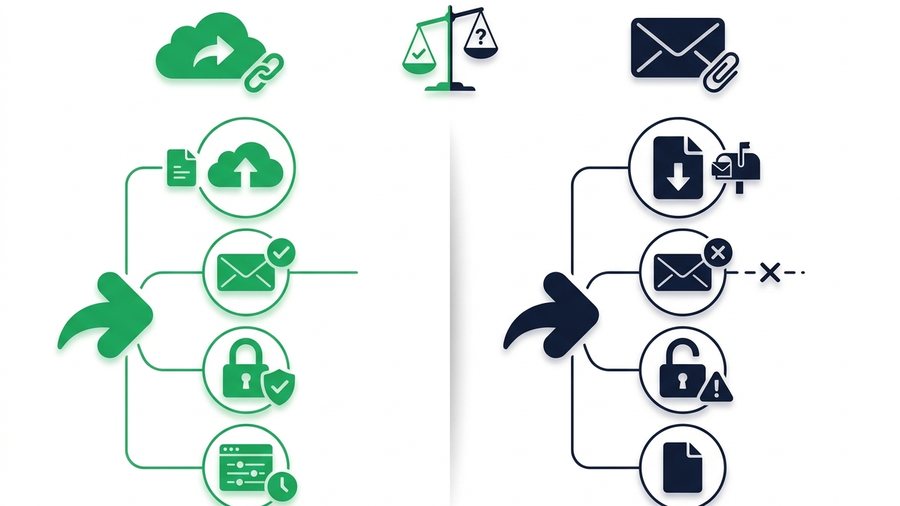
Link Sharing vs Email Attachments: Which Wins?
A head-to-head look at share links and email attachments across size, deliverability, security, and control to help you pick the right one.