There is no single "best" file sharing service, and any list that claims otherwise is skipping the important question: what are you actually trying to do? Sending one PDF to a coworker, backing up a folder you will edit for months, and beaming a video to the phone in your hand are three different jobs. Each one has a different best tool.
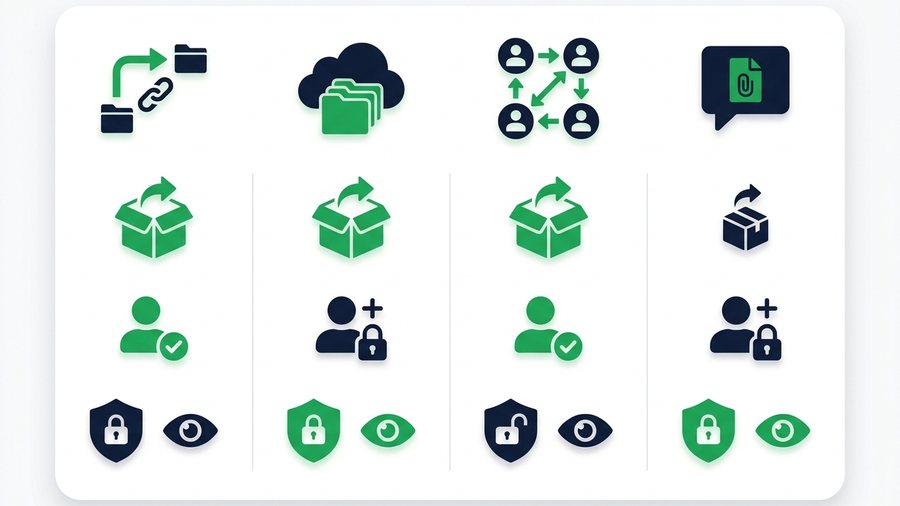
The cleanest way to compare free services is by category, not by brand. Once you understand the four main types - Transfer links, cloud drives, peer-to-peer apps, and messaging apps - The right choice usually becomes obvious in a few seconds. This guide walks through each category, what it is good at, where it falls short, and how a no-signup expiring link fits into the mix.
Free tiers change often, so the numbers here are recent ranges to guide your thinking, not fixed guarantees. Always confirm on the service before an important send.
Key takeaways
- Compare by category, not brand: transfer links, cloud drives, P2P apps, and messaging apps
- Cloud drives give 5-15 GB of storage but need an account and never auto-expire
- Messaging apps cap files (WhatsApp near 2 GB) and often compress photos and video
- A no-signup link like ShareIt.onl sends 100 files / 3 GB free with expiry from 1 hour to 7 days (30 days with a free Google sign-in)
The Four Categories of File Sharing
Transfer links
These tools take a file, upload it, and hand you a URL to share. Examples include WeTransfer, Smash, Filemail, and ShareIt.onl. They are built for send-and-forget delivery. The receiver clicks, downloads, and moves on. Many transfer links expire automatically, which is a quiet privacy win.
Cloud drives
Google Drive, Dropbox, OneDrive, and iCloud store your files on a server and let you share a link or invite collaborators. They are made for files that live somewhere long term. Nothing expires unless you delete it, and multiple people can view or edit the same file. The trade-off is that both sides usually get the smoothest experience with an account.
Peer-to-peer (P2P) apps
Quick Share, AirDrop, and Send Anywhere move files more directly between devices, sometimes without going through a big server at all. They can be extremely fast and work offline on the same network, but they usually need an app or a specific platform, and both devices often have to be active at once.
Messaging apps
WhatsApp, Telegram, Signal, and iMessage can carry files inside a chat. They are convenient because the person is already there, but they cap file sizes (WhatsApp is around 2 GB per file, others less) and often compress photos and videos, which quietly lowers quality.
Size, Account, and Privacy Compared
| Category | Typical free size | Account needed? | Auto-expiry | Privacy notes |
|---|---|---|---|---|
| Transfer links | 100 MB to several GB | Often no | Often yes | Anyone with the link can download |
| Cloud drives | 5-15 GB storage | Yes | No | You control sharing settings |
| P2P apps | Very large / no cap | App or platform | N/A | Direct, often local only |
| Messaging apps | Up to ~2 GB per file | Yes | No | May compress; stays in chat history |
| No-signup link (ShareIt.onl) | 100 files / 3 GB | No | Yes (1h-7d, 30d signed in) | Free password, QR code, no ads |
Use this table as a starting filter, then read the sections that match your situation.
Tip: A free no-signup link now covers up to 3 GB, which handles most everyday sends. Once you cross past 3 GB, a P2P app or a large-transfer service will serve you better.
What Each Category Is Good For
When transfer links win
Choose a transfer link when you are sending files once and do not need to keep them online. A designer sending final artwork, a job seeker sending a resume, or a friend sharing vacation photos all fit here. If you want the link to disappear on its own, transfer links with expiry are the natural pick. Our guide on how to share files online walks through the basic steps.
When cloud drives win
Cloud drives are better when the file has a future. Ongoing projects, shared team folders, documents you edit weekly, and personal backups all belong on a drive. The persistence that makes drives worse for privacy makes them better for collaboration. To weigh storage against one-time delivery, see cloud storage vs direct file sharing.
When P2P apps win
Reach for P2P when both devices are near you and the file is large. Moving a phone's camera roll to a nearby laptop over Wi-Fi is faster with Quick Share or AirDrop than any upload. The catch is platform lock-in, which we cover more in the messaging and cross-device sections below. That lock-in bites across desktops too, so for transferring files from a Mac to a Windows PC a browser link is often the simplest bridge.
When messaging apps win
Messaging is best for small, casual files to someone you already chat with. A single photo, a voice note, or a short PDF slides right into the conversation. Just remember the size caps and the quality loss from compression on images and video.
How to Choose in Under a Minute
Ask yourself three quick questions.
First, how big are the files? Small files open up almost every option, and a no-signup link covers up to 3 GB free. Beyond that, P2P apps or large transfer services specialize in the heaviest loads.
Second, does the file need to stick around? If yes, a cloud drive. If no, a transfer link with expiry keeps things tidy and reduces the chance of a stale link leaking later. If you are choosing among transfer links specifically, our list of the best free WeTransfer alternatives compares them side by side.
Third, do you want to avoid accounts? A no-signup tool skips the email, the password reset, and the tracking. It also leaves less of your data behind.
| Answer profile | Recommended category |
|---|---|
| Small file, one-time, no account | No-signup expiring link |
| Large file, one-time | Transfer link or P2P app |
| File you will reuse or edit | Cloud drive |
| Casual file to a chat contact | Messaging app |
| Two devices in the same room | P2P app |
Where a No-Signup Expiring Link Fits
Hitting a per-file ceiling rather than a total one? Alternatives to pCloud Transfer covers the 200 MB-per-file cap that sends most people looking.
A no-signup expiring link is the specialist for a very common job: send a batch of files fast, to anyone, on any device, without either person logging in. ShareIt.onl handles up to 100 files or 3 GB free, lets you pick how long the link lives (1 hour, 12 hours, 24 hours, 3 days, or 7 days, or 30 days with a free Google sign-in), adds a free optional password, and shows a QR code so a phone can grab the link by pointing its camera. There are no ads, and the recipient never needs an account.
It will not replace a 15 GB cloud drive for files that need to live somewhere long term, and it does not try to. Its value is speed and simplicity: upload, share, and let the link clean itself up.
When the file is modest and the moment is quick, that focus is exactly what you want. You can start a transfer straight from the home page and be done before a cloud service finishes asking you to sign in. Its focus on speed within clear limits is what sets it apart from the bigger, heavier services.
One difference that does not show up in a feature table: on ShareIt.onl your free storage can grow. Inviting a friend earns +1 GB permanently for both of you, up to 80 GB - see the referral program.
Our own numbers are on the pricing page rather than buried in a footnote, and what's actually free is the short version.
Service limits shift often, so the blog tracks the notable changes as they land.