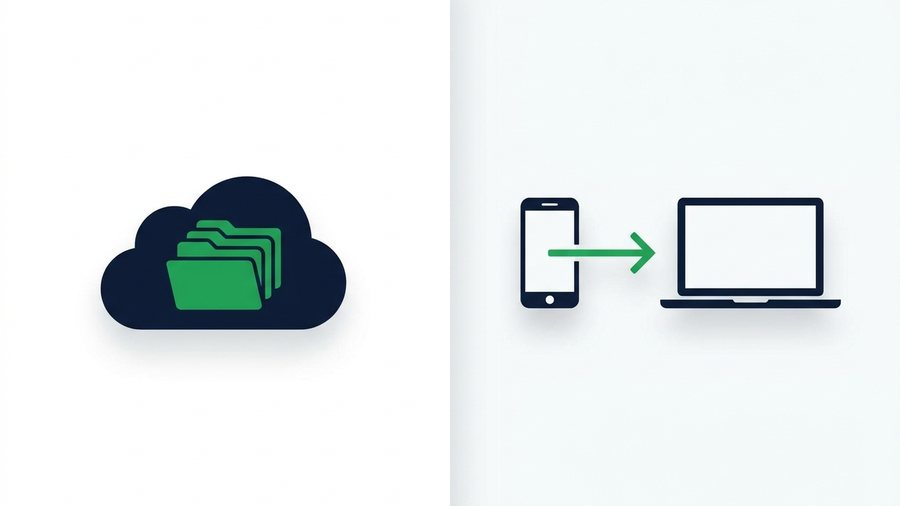
Google Drive and Dropbox are everywhere, so when people need to send a file, they reach for the cloud drive by default. Then come the speed bumps: sign in, upload to a folder, fiddle with sharing permissions, copy a link, and hope the recipient doesn't hit the dreaded "You need access" screen.
Here's the thing - Cloud storage and direct file sharing solve two different problems. Cloud storage is a filing cabinet: it keeps your stuff organized, synced, and available for years. Direct file sharing is a courier: it moves files from you to someone else, fast, and then gets out of the way.
Once you see the split, choosing becomes easy. This guide breaks down where each one wins, what they cost, and how they handle your privacy.
Key takeaways
- Cloud storage is a filing cabinet (permanence); direct sharing is a courier (deliver, then vanish)
- The rule: recurring access needs storage; one-time delivery needs sharing
- Cloud free tiers run 5-15 GB, then $2-12/month; direct sharing is free because files expire
- ShareIt.onl moves 100 files / 3 GB free, with expiry you pick and nothing to clean up
Two Tools, Two Jobs
Cloud storage: built to keep
Drive, Dropbox, OneDrive, and iCloud are designed around permanence. Files live in your account indefinitely, sync across your devices, keep version history, and slot into folders you can reorganize. Sharing exists, but it's layered on top of a storage system - Which is why it comes with owners, permissions, and access requests.
Direct file sharing: built to move
Transfer services are designed around delivery. You upload, get a link, send it, and the other person downloads. ShareIt.onl combines that flow with a lightweight browser account: up to 100 files and 3 GB per transfer, a short link plus QR code in seconds, selectable expiry, and 20 GB of files that remain private after the public link ends.
Neither is "better." A filing cabinet makes a lousy courier, and a courier makes a lousy filing cabinet.
Decision Table: Which One Fits Your Task?
| Your situation | Best choice | Why |
|---|---|---|
| Send a client their final deliverables | Direct sharing | One click for them, auto-cleanup for you |
| Team edits the same docs weekly | Cloud storage | Sync, versions, shared folders |
| Move a video from your phone to a friend | Direct sharing | No accounts, no app match needed |
| Back up your photo library | Cloud storage | Permanence is the whole point |
| Share a file with someone once, ever | Direct sharing | Why grant permanent account access? |
| Collaborate on a spreadsheet in real time | Cloud storage | Live co-editing built in |
| Hand a PDF to a stranger at an event | Direct sharing | QR code, done in seconds |
| Archive tax documents for 7 years | Cloud storage | Long-term retention |
The pattern: recurring access → storage; one-time delivery → sharing.
Tip: For a file someone needs only once, a transfer link beats granting cloud access. There is no permission to remember to revoke later, and the link deletes itself at expiry.
Cost: What You Actually Pay
Cloud storage is priced on how much you keep. Free tiers give you 5-15 GB (Google 15 GB, Dropbox 2 GB, OneDrive 5 GB), and once your archive outgrows that, you're subscribing - Typically $2-12 per month, forever, because the files stay.
Direct sharing is priced on how much you move at once, and for most everyday transfers that means free. Since files expire and vanish, the service never stores your growing archive, so there's nothing to bill monthly. Sending a 150 MB batch of photos through ShareIt.onl costs nothing and requires no card or account.
A subtle trap with cloud drives: files shared with you and email attachments can count against your quota. People end up paying for storage because their drive filled with other people's one-time transfers - Files a courier should have handled.
Privacy: Permanent Account vs Disappearing Link
The privacy models differ more than most people realize.
With cloud storage, a shared file stays accessible until someone remembers to turn sharing off. Be honest: have you ever audited your old "anyone with the link" shares? Most people have years of forgotten links still live. Your files also sit tied to your identity and account, indefinitely.
With direct sharing, the deletion is the default. A link set to 24 hours is dead tomorrow no matter what - Even if the email carrying it gets forwarded around for months. There's no account linking the files to you, and nothing to clean up later. Expiry acts like a self-destruct timer for access; we cover the mechanics in the guide to picking the right link expiry.
For sensitive material, either tool can be used well or badly - Encrypting files before upload and limiting who receives the link matter more than the platform. Our secure file sharing guide walks through those habits step by step.
Quick privacy checklist
- Send links through private channels only (email, DM), never public posts.
- Choose the shortest expiry that still works for your recipient.
- For cloud drives: review and revoke old shared links twice a year.
- For confidential files: password-protect the ZIP before uploading, share the password separately.
Where Each One Clearly Wins
Cloud storage wins when:
- The same files need to be reachable next month and next year.
- Multiple people edit documents together.
- You want automatic backup from your phone or laptop.
- Folder structure and search across your archive matter.
Direct sharing wins when:
- Speed matters - Link in hand within 30 seconds.
- The recipient shouldn't need an account (clients, relatives, strangers).
- You're sending from a borrowed or public computer and don't want to log into your personal cloud.
- You want zero cleanup afterward.
- The transfer is bigger than an email allows but under a service's cap - And if it's beyond that, see how to send large files online.
Most people quietly need both: a cloud drive as their filing cabinet, and a transfer tool like ShareIt.onl as their courier. Using one tool for both jobs is where the friction comes from.
There is a third way to get storage that neither column covers: earn it. Every friend who joins ShareIt.onl through your link adds 1 GB permanently to your account, stacking to 80 GB on top of the free 20 GB, with nothing to pay at any point. How that works.
If you are weighing the cost side, what's free here sets out the limits without an account and with one.