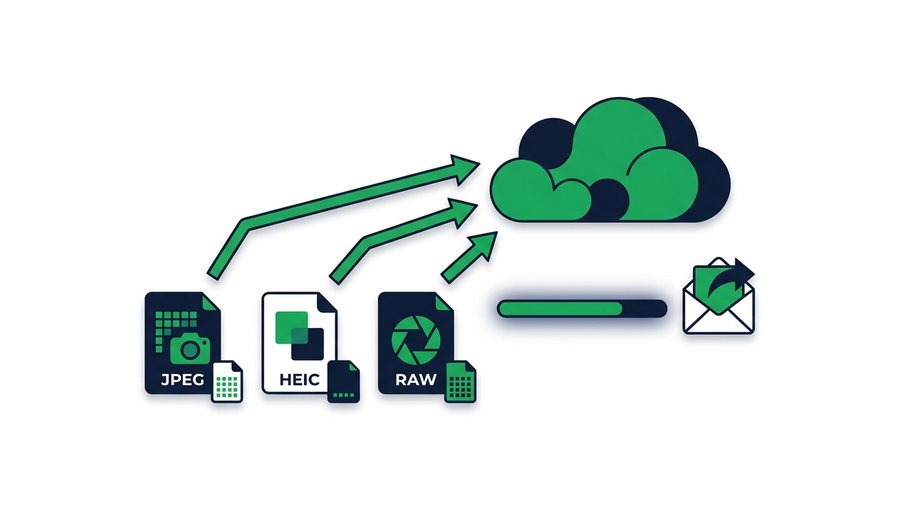
You take a beautiful photo, send it to a friend or client, and it arrives looking soft and washed out. The problem isn't your camera. It's that most apps quietly compress images before sending, throwing away detail to save data. For a casual snapshot that's fine, but for prints, client work, or archiving, that lost detail matters.
High-resolution photos are big files, and that's exactly why apps target them. A single RAW image can be 25 to 50 MB, and a batch of them adds up fast. Chat apps and social platforms shrink them hard to keep things fast, but you don't have to accept that.
This guide explains what apps actually do to your full-resolution and RAW files, shows real file sizes by format, and walks through the cleanest way to send images with every pixel intact.
Key takeaways
- A single RAW image runs 25-50 MB, and messaging apps can crush a 4 MB photo down to 200 KB, a 90%-plus loss.
- Social platforms resize to 1080-2048 px wide and strip EXIF metadata like date and location.
- A direct download link re-encodes nothing, so a 40 MB RAW arrives as a 40 MB RAW, byte for byte.
- One free 3 GB share holds up to 100 files - hundreds of megabytes of JPEGs, or a set of 60-100 RAW frames.
What Apps Do to Your Photos
Most sharing tools re-encode images on upload. That means they decode your photo, shrink the resolution, lower the quality setting, and re-save it, usually as a smaller JPEG. The detail that's removed is gone for good.
- Messaging apps like WhatsApp and Messenger can cut a 4 MB photo down to 200 KB, a 90%-plus reduction, unless you send it as a document or file.
- Social platforms resize images to a maximum width (often 1080 to 2048 pixels) and strip metadata.
- Email doesn't compress the image itself, but attachment limits force you to shrink or skip large batches.
- Text/iMessage compresses when "Low Quality Image Mode" is on or when sending over cellular.
The result is the same everywhere: a smaller, softer image with less color depth and no room to crop or print at size. If you want the fastest, quality-safe route for a whole set, our guide to how to share photos covers it end to end.
Photo File Sizes by Format
Knowing how big your files actually are helps you plan how to send them. Here's a realistic range for a single photo from a modern phone or camera.
| Format | Typical size per photo | Quality | Best for |
|---|---|---|---|
| JPEG (phone) | 2-6 MB | Compressed, good | Everyday sharing |
| HEIC (iPhone) | 1-3 MB | Compressed, efficient | Apple devices |
| JPEG (DSLR fine) | 8-15 MB | High | Prints, client proofs |
| RAW (CR3, NEF, ARW) | 25-50 MB | Maximum, uncompressed | Editing, archiving |
| TIFF | 30-100 MB | Lossless | Professional print |
Notice how quickly RAW files fill space. Ten RAW images can easily total 300 to 500 MB, which is why sending them needs a plan, not just a chat attachment.
Why RAW is special
RAW files hold all the sensor data your camera captured, with no compression baked in. That gives editors full control over exposure, white balance, and color. But RAW files are huge, and most apps can't even preview them, so they must be sent as plain files, never through a photo-optimizing pipeline.
The Full-Quality Method: Link and QR Code
The cleanest way to send high-resolution photos is to skip apps that compress and use a direct download link instead. You upload the originals once, and your recipient downloads the exact files, byte for byte.
Here's the flow with ShareIt.onl:
- Open the tool in any browser on your phone or computer. No sign-up.
- Drag in your photos, up to 100 files and 3 GB total per transfer.
- Choose how long the link should live: 1 hour, 12 hours, 24 hours, 3 days, or 7 days.
- Upload and wait for the progress bar to finish.
- Copy the link, or show the QR code for someone to scan on the spot.
- Your recipient clicks or scans and downloads the full-resolution originals.
Because nothing re-encodes the files, a 40 MB RAW arrives as a 40 MB RAW. The QR code is handy when you're standing next to the person, handing off shots at a shoot or an event without typing anything.
Tip: Before a client leaves the shoot, show the QR code on your phone and let them scan it on the spot. They walk away with the full-resolution originals downloading, no email typed, no account, and no compression anywhere in the chain.
Fitting a whole shoot in one share
The 100-file, 3 GB limit covers most real shoots in a single transfer. A hundred fine-quality JPEGs add up to a few hundred megabytes, nowhere near the cap. RAW is where the math matters: at 25 to 50 MB per frame, roughly 60 to 100 RAW files fit inside 3 GB. Only a very large RAW or video collection outgrows that, and even then a second share covers it. If you still want everything in one file, compress the RAW files into a single archive first. Our guide to how to compress files before sharing explains when zipping RAW actually helps and when it doesn't.
When Full Resolution Really Matters
Not every photo needs the full-quality treatment, so save the effort for the times it counts.
For a quick social post or a text to family, compressed is fine. Match the method to the job. And if your goal is simply getting a shoot off your phone and onto a bigger screen, our guide to transferring photos from a phone to a laptop walks through the device steps.
Avoiding the Common Traps
Sending RAW through a chat app's photo option. Many can't handle RAW at all, or they convert it to a small JPEG. Always send RAW as a file or through a link.
Turning off metadata by accident. Social platforms strip EXIF data (camera settings, date, location). If that info matters, use a direct file transfer that preserves it.
Forgetting HEIC compatibility. iPhone HEIC files are efficient but don't open on some Windows and Android setups. If your recipient is on another platform, a direct link still delivers the file, but confirm they can open HEIC or convert to JPEG first.
Screenshotting instead of sharing the file. A screenshot of a photo is a low-resolution copy. Always send the original file.
If you also share video from the same shoots, the same "no re-encoding" logic applies, and sending clips as documents or links avoids the same quality loss covered in how to send large files on WhatsApp.
Moving them between your own devices instead of sending them onward? Photos to a computer covers every device, with no re-compression at any step.