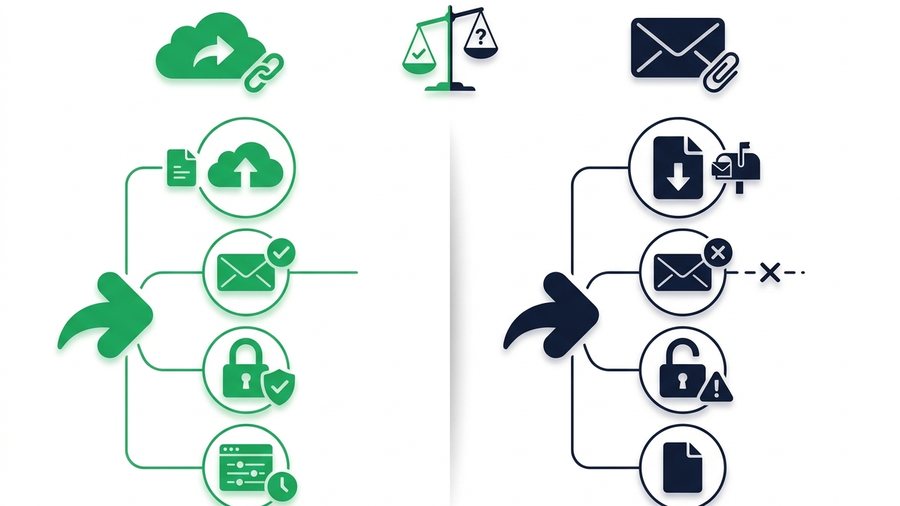
For years, the default way to send a file was to attach it to an email. It works, right up until the moment it does not: the file is too big, the message bounces, or it lands in a spam folder and vanishes. That is when people reach for a share link instead.
So which one actually wins? The honest answer is "it depends on the file and the moment." A tiny receipt is fine as an attachment. A 150 MB video folder is not. Knowing where each option shines saves you the frustration of a failed send.
This guide puts the two head to head across the things that matter: size limits, bounce-backs, deliverability, security, and the power to take a file back. You will get a full comparison table and clear scenarios so you always know which to grab.
Key takeaways
- Email providers cap attachments around 25 MB, and encoding inflates files by roughly a third, so a 20 MB file can still bounce.
- A share link is just a few dozen characters, whether it points to a 2 MB photo or a 200 MB archive.
- A link limits future access: set it to expire in 1 hour, 12 hours, 24 hours, 3 days, or 7 days, then that address stops working.
- Attachments still win for small files under about 10 MB that belong in the email thread.
Round One: Size Limits
This is the most common reason attachments fail. Most email providers cap attachments at around 25 MB, and some are even stricter.
The hidden encoding tax
Attachments get encoded for email, which inflates them by roughly a third. So a file that looks like 20 MB on your drive can push past the 25 MB limit once it is attached. That is why a file you think is "under the limit" sometimes still bounces.
A share link sidesteps this entirely. The link is just a short web address, a few dozen characters, no matter whether it points to a 2 MB photo or a 200 MB archive. The file lives on a server, and only a copy travels when the recipient clicks. Learn the mechanics in how file sharing works behind the scenes.
Winner: Link. Attachments hit a wall fast; links do not care about size.
Round Two: Bounce-Backs and Deliverability
Even when a file fits, big attachments cause trouble. Mail servers scan them, and heavy or unusual attachments raise red flags.
Here is what can go wrong with a large attachment:
- The recipient's mailbox is full and rejects it
- A spam filter quarantines the message because of the attachment
- The provider silently strips the file to protect the inbox
- The whole email bounces with a confusing error
A link avoids all of this. A short text link rarely trips spam filters, and it does not care how full the recipient's mailbox is because nothing heavy is being delivered to it. The recipient pulls the file down when they are ready.
Winner: Link, for anything beyond a small file.
Round Three: Security and Control
Once you send an attachment, it is gone from your control. It sits in the recipient's inbox, gets forwarded, and lives in backups forever. You cannot unsend it.
Revocability is the link's superpower
A share link can expire. Set it to 1 hour, 12 hours, 24 hours, 3 days, or 7 days, and after that window the address stops working. If you sent something to the wrong person, the exposure window has a built-in limit. The normal file remains private in My Files; an attachment offers no equivalent access cutoff. To choose a window, see how long should a share link last.
Encryption in transit
Both good email and good link services encrypt files as they travel. But a link service using HTTPS gives you an easy padlock to check, and expiring links mean the file does not sit around indefinitely waiting to leak.
Winner: Link, thanks to expiration and cleaner control.
Round Four: When Attachments Actually Win
Attachments are not obsolete. For small, everyday files they are often the simpler choice, and there is no reason to overthink it.
Note: An attachment can never be unsent. Once it lands in an inbox it lives in the recipient's mailbox, their forwards, and their backups, so save attachments for files you are fine leaving there for good.
Attachments are the better pick when:
- The file is small, under about 10 MB
- The recipient expects it right there in the message
- You want a permanent record kept inside the email thread
- You are replying inline and the file is part of the conversation
For a one-page PDF or a single photo, attaching it keeps everything in one place. No extra click, no expiry to worry about. Reach for a link only when the file is big, sensitive, or short-lived.
Winner: Attachment, for small files that belong in the thread.
The Full Comparison
Here is everything side by side so you can decide at a glance.
| Factor | Share link | Email attachment |
|---|---|---|
| Max file size | Several gigabytes (3 GB free on ShareIt.onl) | About 25 MB |
| Risk of bouncing | Very low | High for big files |
| Spam filter trouble | Rare | Common for large files |
| Can you revoke it | Yes, it expires | No, it is permanent |
| Recipient sees it instantly | Needs one click | Right in the message |
| Kept in the email record | Only the link | The full file |
| Best file size | Large or sensitive | Small and simple |
The pattern is clear: links win on size, deliverability, and control, while attachments win on simplicity for small files. A no-sign-up tool like ShareIt.onl makes the link route as quick as attaching, so the big-file penalty disappears. For the wider view, compare cloud storage vs direct file sharing.
Choose Fast With These Scenarios
Still unsure? Match your situation to one of these and you will have your answer in seconds.
| Your situation | Best choice |
|---|---|
| Sending a single small PDF to a coworker | Attachment |
| Sending a 120 MB video to a client | Link |
| Sharing a folder of 40 photos | Link (zip first) |
| Replying with a signed one-page form | Attachment |
| Sending a sensitive file you may need to pull back | Link with short expiry |
| Delivering a big project to a freelancer | Link |
Notice the pattern: small and simple leans attachment, big or sensitive leans link. When you go the link route, our send large files guide and how to share files online walk you through it, and teams can dig into file sharing for teams and remote work. You can start any share from the homepage.