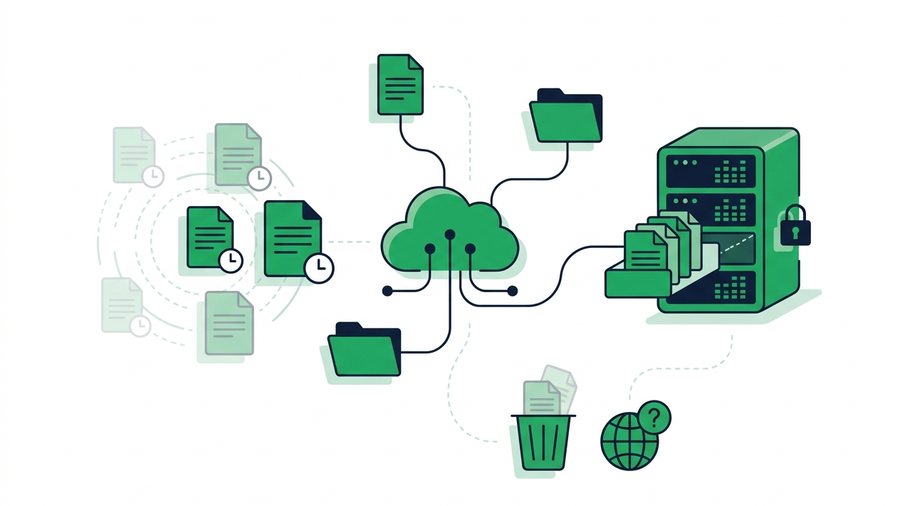
You send a file, the other person gets it, and you move on. But where does that file actually live afterward? For most sharing methods, the honest answer is "far longer than you'd guess, and in more copies than you realize." A photo texted in 2022 might still sit in three people's cloud backups today.
Files don't vanish when you stop thinking about them. They stay wherever the service decided to keep them, which by default is often forever. Chat apps store media on their servers, email keeps attachments until you delete both the sent and received copies, and cloud folders hold files until you manually remove them, if you ever do.
This guide explains how long different services really keep your files, what "deleted" actually means behind the scenes, why cached copies complicate everything, and how to make your files disappear on a schedule you control.
Key takeaways
- Most sharing methods default to keeping files far longer than you expect, often forever
- "Deleted" usually means soft-deleted: files sit in trash for days or weeks, and backups keep separate copies
- Cached and downloaded copies can linger on a viewer's device after the original is gone
- Expiring links and delete-after-first-download let you set when a file dies; ShareIt.onl offers both
How Long Each Method Keeps Your Files
Different tools have wildly different habits. Here's the reality behind the ones people use daily.
Chat and messaging apps
When you send a photo or document in a messaging app, the file usually lives on the app's servers, not just on the two phones. Even if you delete it from your side, copies often remain on the recipient's device and in their automatic backups. Some apps keep media for a set number of days; others keep it indefinitely.
Cloud storage
Cloud folders are built to keep files, not remove them. A file you share stays until you delete it, and many services then hold it in a "trash" or "recently deleted" area for another 30 days. Shared links often keep working even after you think you've stopped sharing.
Email attachments
An emailed file is one of the stickiest of all. It exists in your sent folder, the recipient's inbox, every forward, and both sides' backups. Deleting your copy does nothing to the others. Attachments routinely survive for a decade in inboxes nobody cleans out.
Retention at a Glance
| Method | Default retention | Who has a copy |
|---|---|---|
| Messaging apps | Days to indefinite | Both devices, app servers, backups |
| Cloud storage | Until you delete (+ ~30-day trash) | Anyone with the link |
| Email attachments | Effectively forever | Sender, recipient, every forward |
| Social media DMs | Until account or message deleted | Platform servers |
| Expiring link service | Minutes to a few days | Sender until expiry, then no one |
Notice the pattern: nearly everything defaults to "keep it," except tools built specifically to expire. That default is the whole problem.
Note: A file that stays live for a month gives dozens of chances to make cached or downloaded copies. One that exists for a single download leaves far fewer traces behind to leak later.
What "Deleted" Really Means
Hitting delete feels final. Often it isn't.
The soft-delete trap
Most services use "soft delete" first. Your file moves to a hidden trash area and still exists for days or weeks before it's truly gone. During that window, it can sometimes be restored, previewed, or recovered. So "I deleted it" usually means "I asked for it to be deleted eventually."
Backups keep their own copies
Even after real deletion, backups may hold a copy. Backup systems take snapshots on a schedule, and those snapshots don't update just because you deleted the original. A file can be "gone" from the app while still living in a backup taken last Tuesday.
The takeaway
Deletion is rarely instant and rarely complete. The only file you can be sure is gone is one that was designed to delete itself and leave no trail, ideally the moment its job is done.
The Cached-Copy Problem
Even a perfectly deleted file can leave ghosts. When someone opens or previews your file, their device or browser may cache a copy for speed. That cached version can linger in browser storage, a chat app's media folder, or a preview thumbnail long after the original is gone.
Where caches hide
- Browser cache from viewing a file in a tab
- Downloaded copies sitting in a Downloads folder
- Chat app media auto-saved to the phone's gallery
- Preview thumbnails generated by the operating system
You can't control caches on someone else's device. What you can control is how many chances they had to make one. A file that existed for one download creates far fewer cached copies than a link that stayed live for a month while dozens of people opened it.
How to Make Files Disappear on Schedule
If default retention is "forever," the fix is to pick a tool that flips that default. Instead of hoping to remember to delete a file later, you decide up front when it should die.
Use expiring links
An expiring link deletes the file automatically after a set time, whether that's 10 minutes or 3 days. You don't have to do anything; the file simply stops existing. This also kills every forwarded copy of the link at once. Our deeper look at why expiring links are safer covers the security math behind this.
Use delete-after-first-download
For a file only one person needs, delete-after-download is the cleanest option. The file self-destructs the instant it's downloaded once, so there's nothing left online to leak or cache from the source. ShareIt.onl offers both automatic expiry and this delete-after-first-download option, plus an optional password, which together give you real control over how long a file lives.
Set a realistic lifespan
Match the timer to the task. Choosing a lifespan is a small decision with a big payoff, and for anything private our guide on how to send sensitive documents securely walks through the right settings. When you're done, confirm the file is gone rather than assuming. For the full picture on the moments after you hit send, see what happens to files after you share them.
How long a link survives depends on the plan, and the pricing page lays out each one.