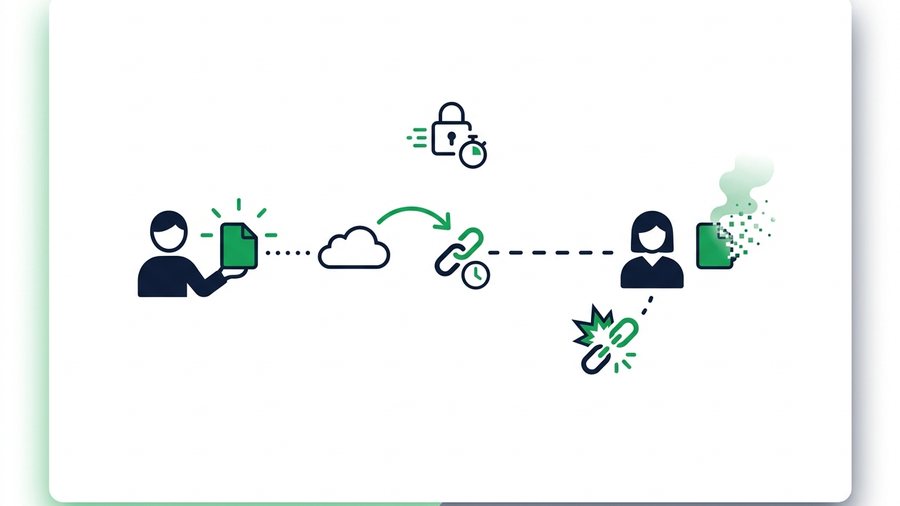
"Self-destructing" sounds like spy-movie stuff, but it's a plain, practical idea: a file that deletes itself after it has done its job. Instead of a link that works forever, you get one that stops working after a set time - Or after a single download. Once it's gone, it's gone, and anyone who finds an old copy of the link just sees an error page.
This matters because a shared file's useful life is usually short. You send a photo ID to verify an account, a contract to sign, or a one-off document to a coworker. The recipient grabs it within a day, and after that the file is just risk with no purpose. Every extra hour it sits online is another hour it can be forwarded, archived, or caught up in a breach.
Temporary file sharing flips the default from "keep forever" to "delete automatically." Below we'll break down the three main flavors - Expiring links, one-time (burn-after-download) links, and passwords - Explain why they're safer, and show exactly how to set them up on ShareIt.onl.
Key takeaways
- Self-destructing sharing deletes files automatically, so an old link can't be opened later even if someone finds it.
- An expiring link dies on a timer (1 hour, 12 hours, 24 hours, 3 days, or 7 days); a one-time link dies the instant the file is downloaded once.
- On ShareIt.onl, a 24-hour link is the default and each download adds a 24-hour keep-alive, so active shares stay reachable while idle ones vanish.
- A one-time "delete after first download" link has the smallest possible attack window - The file exists for exactly one grab, then it's deleted.
What "Self-Destructing" Actually Means
A normal share link points to a file that stays on a server until someone deletes it - Which, in practice, is often never. A self-destructing link points to a file that has a built-in end date. When that end date hits, the service removes the file and the link goes dead.
There's no magic and no partial deletion. The file is simply removed from storage, and the URL that used to reach it now returns nothing. The person you sent it to already has their copy; anyone else who comes across the link later is out of luck. That's the whole point.
The Three Flavors of Temporary Sharing
These three tools solve slightly different problems. You can use them alone or stack them.
Expiring Links (Time-Based)
An expiring link stays alive for a fixed window - Say, 24 hours - Then deletes the file. This is the everyday default and it fits most sharing: "here's the file, grab it today." It doesn't care how many times the file is downloaded during the window; it only cares about the clock.
One-Time Links (Burn After Download)
A one-time link deletes the file the moment it's downloaded once. It's sometimes called "burn after reading." This is the strongest option for truly sensitive, single-recipient files, because the file's entire life is a single download. The trade-off: if the wrong person opens it first, your real recipient gets nothing - And if a chat app or scanner "pre-fetches" the link, it can burn early.
Password Protection
A password isn't about deletion - It's about who can open the file while it's alive. Even someone with the exact link can't download without the secret word. Passwords pair beautifully with expiry: the link dies on schedule, and until then it's locked.
Why Temporary Sharing Is Safer
Security folks talk about the "attack window" - The span of time during which something can go wrong. A permanent link has a window of forever. Every day it exists, the chance of exposure ticks up: another forward, another synced backup, another leaked inbox.
Temporary sharing caps that window. A 24-hour link shared Monday morning cannot leak in an email breach next August, because there's nothing left to leak. A one-time link is tighter still - The file is gone the instant it's used. You're not trusting anyone to remember to clean up; deletion is automatic.
Note: Expiry protects you even after a link leaks - It's the only control that keeps working once the URL is already out of your hands. A random, unguessable URL stops guessing, but most real leaks come from forwarding and archived inboxes, where the attacker already has the exact link.
Real Use Cases
- Photo IDs and passports for a one-time account verification - Burn after first download.
- Signed contracts or offer letters a client needs for a day or two - 24-hour expiry plus a password.
- One-off documents to a coworker who'll grab them right away - 1-hour expiry.
- Medical or financial files where you want zero lingering copies - Short expiry, delete-after-download, and a password together.
Permanent vs. Expiring vs. One-Time
Here's how the three setups compare on the things that matter for privacy.
| Permanent link | Expiring link | One-time link | |
|---|---|---|---|
| When it deletes | Never (manual only) | On a timer | After first download |
| Attack window | Unlimited - Years | 1 hour to 7 days | A single download |
| Survives forwarding? | Every copy works forever | Copies die together at expiry | First opener wins; rest fail |
| Cleanup effort | You must remember | Automatic | Automatic |
| Best for | Public content meant to stay up | Everyday person-to-person shares | Highly sensitive, one recipient |
| Main risk | Forgotten live links | Recipient misses the window | Link burns before the right person opens it |
The honest trade-off: tighter controls ask a little more of your recipient. A one-time link means they must be the first to click. For most sensitive shares, that's a fair price.
How to Do It on ShareIt.onl
Setting up a self-destructing share takes about a minute and needs no account:
- Add your files - Up to 100 files or 3 GB total per share.
- Pick an expiry - Choose 1 hour for a live handoff, stick with the 24-hour default for everyday sharing, or extend to 7 days for slow recipients.
- Turn on "delete after first download" if the file should vanish the instant it's grabbed once.
- Add a password (optional) so only someone with the secret word can open it.
- Share the link or QR code. Each download refreshes a 24-hour keep-alive, so a link people are actively using stays reachable while idle ones expire on schedule.
That keep-alive detail is worth understanding: an active share won't die out from under a recipient mid-use, but a link nobody touches simply runs down its clock and deletes. It's the balance between "don't lose the file too early" and "don't keep it a second longer than needed."
For picking what to lock down and why, see our guide to password-protecting shared files and the deeper case for why expiring links are safer. If you're sending paperwork specifically, our share documents page covers the document workflow, and what happens to files after you share them explains where your data actually lives in the meantime.