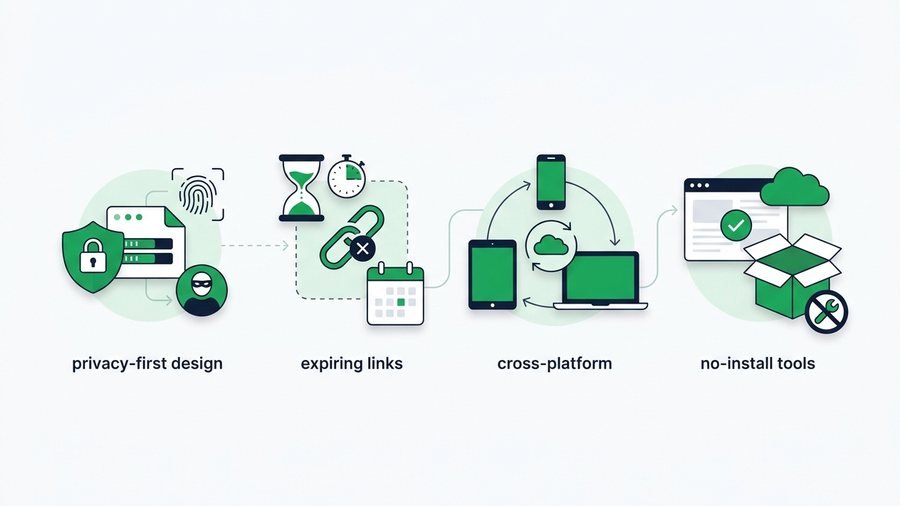
File sharing has quietly changed a lot in the last few years. What used to mean emailing an attachment or passing around a USB stick now happens over links, QR codes, and browser tabs, often in seconds, and increasingly with privacy built in from the start.
This isn't about any single app's latest version. The file-sharing landscape moves fast, and chasing exact release numbers misses the bigger picture. What matters is the direction: the tools people reach for in 2026 look and behave differently than the ones from even a few years ago.
Below is a factual, ground-level view of where things are heading and why. If you share files even occasionally, these shifts are worth understanding, because they change what "good" file sharing looks like and what you should expect from any tool you use.
Key takeaways
- The defining 2026 shift is privacy by default: expiring links and no mandatory accounts.
- Expiring links now come with set durations, 1 hour, 12 hours, 24 hours, 3 days, or 7 days.
- The browser became the cross-platform bridge, working the same on iPhone, Android, Mac, and Windows.
- Free tools still set limits; ShareIt.onl caps each transfer at 100 files and 3 GB.
The Big Shift: Privacy by Default
For years, the default was permanence. You uploaded a file and it stayed there indefinitely, on some server, findable by anyone with the link. That's changing. The clear trend now is toward sharing that's temporary by design.
Expiring links are becoming standard
More tools now let you set how long a link lives, and many make an expiry the default rather than an afterthought. The logic is simple: most files only need to be available for a short window. A link that self-deletes after 1 hour, 12 hours, 24 hours, 3 days, or 7 days closes the door automatically, so a leaked link soon leads nowhere. This is the single clearest example of privacy-first thinking reaching everyday tools.
Less data collected, fewer accounts required
Another visible shift is away from mandatory sign-ups. Tools that once demanded an email and password to send a single file increasingly let you transfer without an account at all. Less data collected means less data that can leak. When a tool doesn't ask for your identity just to move a file, that's privacy working in your favor.
Cross-Platform Is the New Expectation
A few years ago, sharing between an iPhone and an Android phone was genuinely awkward. Native interoperability now exists on select Android devices, but support still varies. Users increasingly choose browser tools that ignore the device divide entirely.
The workaround that won is the browser. Because every phone, tablet, and computer has one, a browser-based link works the same everywhere, iPhone to Android, phone to PC, Mac to Windows. Our guide on how to share files online covers this universal approach in full. The takeaway for 2026: people now expect a sharing tool to "just work" across any device, and the ones that don't are being left behind.
QR Codes Went From Novelty to Norm
QR codes had a slow start, but they're now everywhere, and file sharing embraced them. Scanning a code to grab a file, instead of typing a long web address, is faster and error-proof, especially for handing something to a person sitting across from you.
The pattern is simple: one device shows a QR code, the other scans it with its camera, and the file downloads. No typing, no misspelled links. It pairs naturally with the browser-link approach, and in 2026 it's a feature people look for rather than a gimmick.
Note: A QR code and a copied link do the same job; they just fit different moments. Show the QR code when the other device is right in front of you, and copy the link when your recipient is somewhere else.
What "Modern" File Sharing Looks Like Now
Put the trends together and a clear profile emerges. Here's how the older model compares with what's become standard.
| Feature | Older approach | 2026 standard |
|---|---|---|
| Account required | Usually yes | Often no |
| Link lifespan | Permanent by default | Expiring by default |
| Cross-platform | Clunky or blocked | Works everywhere via browser |
| Sharing in person | Type a long URL | Scan a QR code |
| Extra protection | Rare | Password + delete-after-download |
| Install needed | Common | No-install browser tools |
A tool that hits most of that right-hand column is what a modern free tool like ShareIt.onl aims for: no sign-up, expiring links, cross-platform, QR codes, and optional passwords, all in a browser tab.
Features worth expecting in 2026
- No sign-up for basic transfers.
- Expiring links with a choice of durations.
- Cross-platform sending that ignores the iPhone/Android divide.
- QR codes for in-person shares.
- Optional passwords and delete-after-first-download for sensitive files.
- HTTPS encryption as a non-negotiable baseline.
What Hasn't Changed (and Won't)
For all the movement, some fundamentals stay put. Encryption in transit remains the baseline every trustworthy tool must meet. File size and bandwidth still cost money to serve, so free tools set sensible limits, ShareIt.onl caps a transfer at 100 files and 3 GB, and that trade-off isn't going away.
And the basic security habits still matter as much as ever: use a secure connection, set an expiry, add a password for anything private. The tools have gotten better at making these easy, but the responsibility to use them is still yours. Our post on file sharing security best practices covers those habits in detail, and they apply no matter which year's tool you're holding.