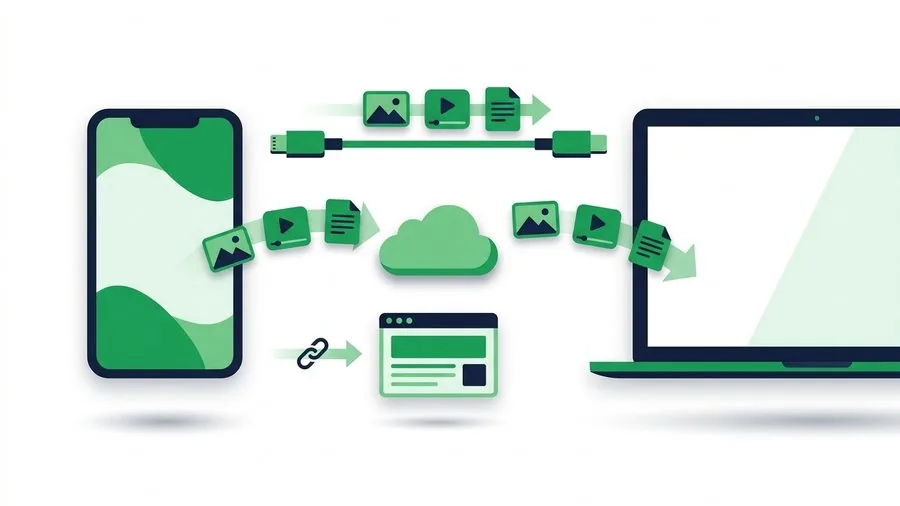
A Mac and an Android phone can both open almost any common file, yet moving that file between them is less obvious than it should be. Finder does not treat every Android phone like an ordinary external drive, and the most convenient nearby tools vary by model.
TL;DR: Open Computer to Phone Transfer on the Mac, upload the files, and let the Android phone scan the QR code. That is the consistent no-cable route. Use a nearby-sharing tool when both devices support it, cloud storage for ongoing sync, and USB for very large offline collections.
Key points
- Browser transfer works across macOS and Android versions without a matching app.
- The QR code removes the need to type a link on the phone.
- Native nearby support can vary by Android model and Mac configuration.
- Cloud storage is better for an ongoing shared library than a one-time handoff.
- USB is useful for a large offline job but may require MTP-compatible software on macOS.
Compare the realistic choices
| Method | Install needed | Internet | Best use |
|---|---|---|---|
| Browser link and QR | No | Yes | Selected files now |
| Nearby transfer tool | Sometimes | Usually no | Supported devices in one room |
| Cloud drive | Usually account-based | Yes | Files needed repeatedly |
| USB and MTP software | Often | No | Large local collection |
Google's Android file-transfer guidance explains the standard USB mode and platform considerations. For a browser transfer, the operating systems matter far less because the Mac sends a normal web upload and Android receives a normal download.
Send from Mac to Android with a QR code
- On the Mac, open Computer to Phone Transfer.
- Add the document, video, archive or photo set.
- Wait for the share link and QR code.
- On Android, scan the code with Camera or the QR control in Quick Settings.
- Open the download page and save the files.
- Check Downloads in Files or the manufacturer's file manager.
Mac file
   |
   v
browser uploader -> temporary link -> QR on Mac
                                        |
                                        v
                                Android download
The general laptop-to-phone transfer guide explains download locations and remote transfers. If the files need to travel the other way, use Phone to Computer Transfer or follow the dedicated Android-to-Mac guide.
Nearby tools and native compatibility
Nearby tools can be faster because they may use a direct local connection. They work best when both devices are in the same room, visible and supported. The drawback is setup: the phone may not see the Mac, a required helper may not be installed, or a managed computer may block it.
Treat nearby sharing as a useful first option when it is already configured. Treat a browser link as the fallback that works without changing the Mac. The article comparing browser transfer, AirDrop and Quick Share explains the difference between local and internet-based handoffs.
When to use a cable
A cable is sensible for tens of gigabytes, a full camera archive or a place with no internet. Unlock the Android phone, select File Transfer or MTP from the USB notification, and use compatible macOS software to browse it. If the Mac does not recognise the phone, changing cables and confirming data support should come before installing several competing utilities.
For a few files, setup time can outweigh transfer time. The file transfer recovery guide provides a methodical checklist when an upload, cable or local transfer stalls.
Transfer planning form
| Question | Your answer |
|---|---|
| Approximate total size | |
| Same room | Yes / No |
| Internet available | Yes / No |
| One-time or recurring | |
| Android destination folder |
Read next
- Transfer files from Android to Mac
- Transfer files from Mac to Windows
- Share files without the internet
- Share files with a QR code