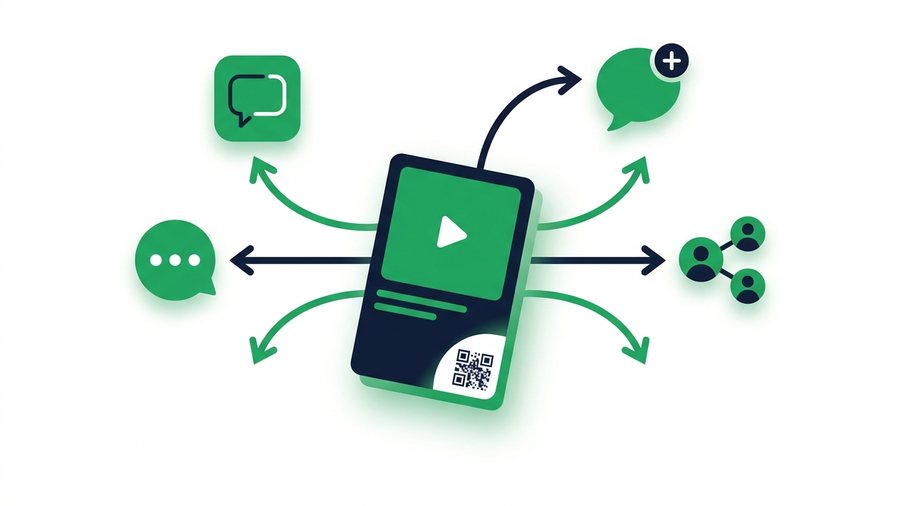
Sharing a TikTok sounds simple until it isn't. A friend says the link "doesn't work," a Duet button is missing, or someone with a private account wonders why nobody can see what they sent. Almost every one of these hiccups comes down to two things: which share method you picked, and how the privacy settings are set.
TikTok gives you more official sharing routes than most apps - Copy link, direct messages, the system share sheet, plus collaborative formats like Duet and Stitch that remix a video instead of just forwarding it. Each one behaves differently, especially when a private account is involved.
This guide walks through every official way to share, the permission toggles that control each one, and what to do when you need to send the actual video file rather than a link.
Key takeaways
- Duet and Stitch are permission-gated twice - At the account level and per video - And Stitch clips up to 5 seconds.
- Private accounts can't be Dueted or Stitched at all, and their downloads are permanently off.
- When downloads are on, viewers save a watermarked MP4; your pre-upload export has no watermark.
- A typical 45-second 1080p original is 50 to 90 MB, so dozens of clips fit within ShareIt.onl's free 100 files or 3 GB.
The Share Sheet: Your Starting Point
Tap the arrow icon on any video to open the share sheet. From there you can:
- Copy link - Puts a short URL on your clipboard to paste anywhere. Anyone who opens it sees the video in the app or browser, no TikTok account required, as long as the video is public.
- Send to - DM the video to TikTok friends. DMs work between mutual followers, with age and privacy limits.
- Share to other apps - WhatsApp, Instagram, SMS, email, and anything else installed on your phone. This sends the link, not the file.
- Repost - Recommends the video to your followers in their feed, without copying it to your profile.
One quirk worth knowing: links to videos from private accounts only work for approved followers. If your friend says the link shows an error, that's usually why - Not a broken link.
Duet and Stitch: Sharing by Remixing
Duet places your video side by side with the original; Stitch lets you clip up to 5 seconds of someone's video and use it as the opening of yours. Both are official, attribution-included ways to build on other people's content.
Both are also permission-gated, twice:
- Account level: Settings and privacy → Privacy → Duet (or Stitch) - Allow Everyone, Followers you follow back, or Only you.
- Per video: when posting, tap More options to allow or block Duet/Stitch for that specific clip.
If the Duet button is grayed out on someone's video, they've turned it off - There's no workaround. Note that private accounts can't be Dueted or Stitched at all, regardless of settings.
Who Can Download Your Videos?
The Save video option on your posts is controlled by you:
- Account level: Settings and privacy → Privacy → Downloads → On or Off.
- Per video: you can also disallow downloads on an individual post in its privacy settings.
When downloads are on, viewers can save a watermarked MP4 of your video. When off, the Save button disappears (though remember: screen recording always exists, so nothing on a public account is truly copy-proof).
Note: Turning downloads off only hides the Save button; it doesn't stop screen recording. Treat anything you post to a public account as viewable and re-recordable, and keep truly private clips off TikTok entirely. Private accounts have downloads disabled permanently - The toggle isn't even available. Curious what the downloaded file actually contains? See how to download your own TikTok videos for the watermark and quality details.
Share and Permission Settings at a Glance
| Setting | Where to find it | Options | Private account |
|---|---|---|---|
| Downloads | Privacy → Downloads | On / Off | Always off |
| Duet | Privacy → Duet (+ per video) | Everyone / Followers you follow back / Only you | Not available |
| Stitch | Privacy → Stitch (+ per video) | Everyone / Followers you follow back / Only you | Not available |
| Direct messages | Privacy → Direct messages | Mutual followers (varies by age) | Same |
| Who can view a video | Per post → Who can watch this video | Everyone / Followers / Friends / Only you | Followers max |
| Link sharing | Share sheet → Copy link | Always available | Link works for approved followers only |
Nine times out of ten, one of these six rows answers a "why can't I share this?" question.
When a Link Isn't Enough: Sharing the Actual File
Links are perfect for showing someone a post. But sometimes you need to hand over the video itself:
- A collaborator wants your clip to edit into their own project.
- A brand asks for the deliverable file, not a TikTok URL.
- You want to send a video to someone who doesn't use TikTok and shouldn't need the app.
Send your original export, not a screen grab
Texting the file is the worst option - Messaging apps compress video hard, and a crisp 1080p clip arrives as a blurry 480p mess. Instead, share your original export (the pre-upload file, which also has no watermark) with a proper transfer link.
On ShareIt.onl's video sharing page you upload up to 100 files or 3 GB free, with no account, and get an expiring link plus a QR code - Hand your phone screen to someone and they scan it on the spot.
A typical 45-second 1080p original is 50-90 MB, so even a big batch of clips fits in one share; check TikTok's size limits and specs to see what you're working with.
Expiring links also solve lifespan: a raw video file shouldn't sit on a server for years the way a TikTok URL does. Pick an expiry that matches the handoff - A day or a week is plenty for most collabs. Our guide on how long a share link should last breaks down the trade-offs.
A note on third-party download sites
You'll find dozens of sites promising to grab anyone's TikTok "without watermark." Don't use them. Downloading other people's content through third-party tools violates TikTok's Terms of Service and usually infringes copyright - And it's unnecessary. If you want someone's video, use the official Save option (if they allow it) or simply ask them to send their original file. Everything in this guide is an official method.