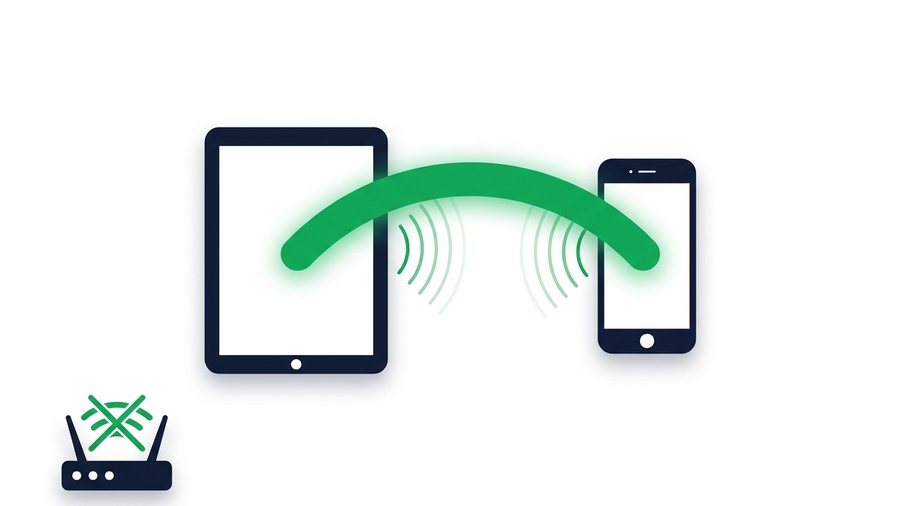
Wi-Fi Direct is one of those technologies you have almost certainly used without knowing its name. If you have ever sent a file with Quick Share, AirDrop, or the SHAREit app, Wi-Fi Direct or something very close to it did the actual work.
The idea is simple. Normally two devices talk through a router - your phone sends data to the router, the router passes it to your laptop. Wi-Fi Direct cuts the router out. The two devices build a private Wi-Fi link straight between themselves, then move data across it at Wi-Fi speeds with no internet connection involved at all.
That makes it excellent in exactly one situation and awkward in most others. This guide explains which is which.
Key takeaways
- Wi-Fi Direct connects two devices directly, with no router and no internet
- It is fast and free, and it is the engine behind Quick Share and most offline transfer apps
- Both devices must be physically close and usually on the same platform
- Apple does not expose Wi-Fi Direct - AirDrop is Apple's own equivalent
How Wi-Fi Direct Works
A normal Wi-Fi network has a router acting as the hub. Every device connects to it, and everything passes through it.
Wi-Fi Direct skips that. One of the two devices temporarily behaves like a router itself, the other joins it, and they form a tiny two-device network. Bluetooth usually handles the introductions - finding the other device and agreeing on settings - then the actual file moves over the much faster Wi-Fi link.
Because nothing leaves the pair of devices, the transfer does not use mobile data, does not depend on internet access, and is not limited by your upload speed. On good hardware you can see well over 100 Mbps, which is far quicker than uploading the same file to a server and back down.
Using It on Android
Most Android phones expose Wi-Fi Direct in settings, but you rarely go there directly. The everyday route is Quick Share.
Quick Share, the practical way
- Open the file, photo, or video you want to send
- Tap the share icon and choose Quick Share
- Make sure the other device has Quick Share visible - on Android, pull down the quick settings panel and enable it
- Pick the receiving device from the list
- Accept the transfer on the other phone
Quick Share handles the Wi-Fi Direct connection invisibly. It also works between an Android phone and a Windows PC with the Quick Share app installed, which is the closest thing Android has to AirDrop.
The raw setting
If you want the underlying feature, it usually sits under Settings > Connections > Wi-Fi > Wi-Fi Direct or similar depending on manufacturer. Devices scan, you pick one, the other accepts, and they pair. From there some file managers let you send directly over the connection.
In practice most people never need this. The app-level tools are easier and do the same thing.
Using It on Windows
Windows supports Wi-Fi Direct underneath, and surfaces it through two features.
Nearby Sharing moves files between two Windows PCs. Turn it on under Settings > System > Nearby sharing, then right-click a file and choose Share. It uses Bluetooth to find the other machine and Wi-Fi Direct for the transfer itself. It only talks to other Windows PCs, not to phones.
Quick Share for Windows is Google's app, and it is the one that bridges to Android. Install it, sign in, and your phone appears as a target.
Windows also uses Wi-Fi Direct for wireless displays and some printers, which is why you sometimes see a "Direct-" network name appear in your Wi-Fi list.
Why iPhones Are Different
Apple devices have the hardware but do not expose Wi-Fi Direct to you or to third-party apps. Instead, Apple built AirDrop, which uses Bluetooth for discovery and a private Apple Wireless Direct Link for the data - conceptually the same idea, implemented privately.
The result is that AirDrop is fast and seamless between Apple devices and completely unavailable everywhere else. An iPhone cannot Wi-Fi Direct to an Android phone, and no app can make it. Anything claiming otherwise is doing something different underneath. Our guide on AirDrop for Windows covers the alternatives.
Where Wi-Fi Direct Falls Down
It is genuinely great in its niche, and genuinely unable to help outside it.
Both devices must be in the same room. Range is roughly normal Wi-Fi range, and in practice you want them within a few metres. It is useless for sending anything to someone who is not physically present.
Platform boundaries are hard. Android to Android works. Windows to Windows works. Android to Windows works with the right app. iPhone to anything non-Apple does not.
Pairing can be fussy. Discovery fails, devices do not appear, one side has Bluetooth off. Anyone who has tried to Quick Share to a stubborn phone knows the ritual of toggling things off and on.
No record of what you sent. The file arrives and that is it. Nothing to re-send, no link to forward, no way to check whether the other person actually got it.
When a Link Is the Better Tool
Wi-Fi Direct answers "how do I get this file to the device sitting next to me with no internet." That is a real question with a good answer.
But most sharing is not that. It is sending files to someone in another building, or to several people, or to a device you cannot see. For all of those, uploading once and sharing a link is simpler - and it does not care what either device runs.
On ShareIt.onl you upload up to 100 files or 3 GB, get a link plus a QR code, and anyone can open it in a browser on any platform. The QR code covers the same across-the-room case Wi-Fi Direct handles, minus the pairing dance: point the other phone's camera at your screen and the download page opens.
The trade-off is honest. Wi-Fi Direct needs no internet and has no size ceiling. A link needs internet on both ends but crosses any distance and any platform. If you are offline, see how to share files without internet.
Quick Comparison
| Wi-Fi Direct | Share link | |
|---|---|---|
| Internet needed | No | Yes, both ends |
| Distance | Same room | Anywhere |
| Cross-platform | Limited | Any device with a browser |
| Size limit | None practical | 3 GB free here |
| Re-send later | No | Yes, link keeps working |
If the two devices refuse to find each other, a browser transfer sidesteps discovery completely: phone to phone or phone to computer, no pairing involved.
The Short Version
Wi-Fi Direct is the right tool when both devices are in front of you and there is no usable internet. Use Quick Share on Android and Windows, and accept that Apple does its own thing.
For everything else - different locations, mixed platforms, more than one recipient - a link is less work.
Share files across any device free, or compare SHAREit, Quick Share and AirDrop.